
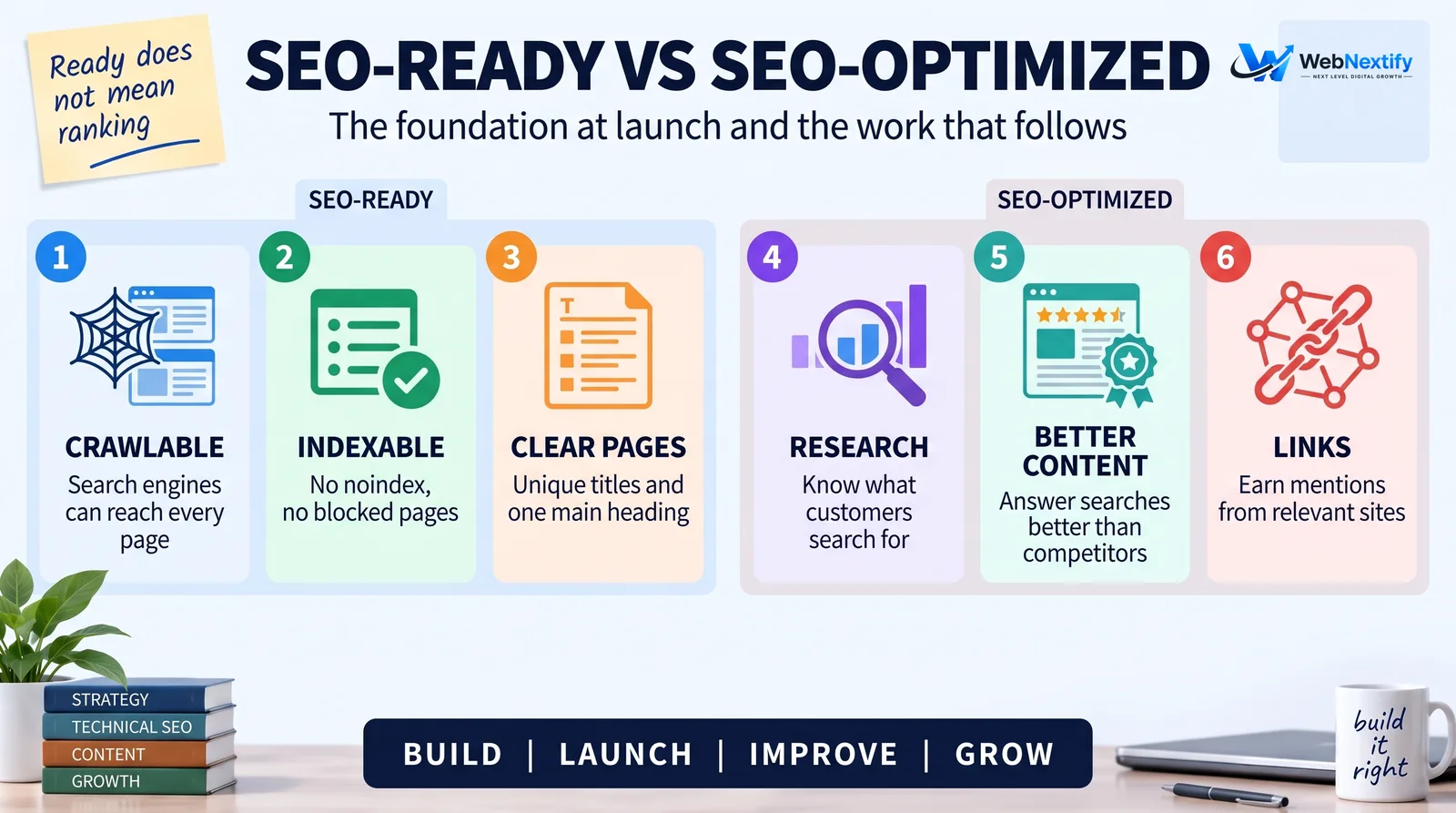
An SEO-ready website is one that search engines can crawl, index and understand from the day it goes live, and that visitors can use on any device. It doesn't mean the site will rank. It means nothing in the build is stopping it from ranking once the content and links are good enough.
Most launches that hurt search traffic fail on a handful of avoidable mistakes: a "noindex" tag left over from the staging site, old URLs with no redirects, a robots.txt file that blocks everything, or a contact form nobody tested. This website launch checklist is built around catching those first, then covering the rest of what a new site needs.
What "SEO-Ready" Means, and What It Doesn't
A site is SEO-ready when four things are true:
1. Search engines can reach every page you want found, through normal links.
2. Those pages are allowed to be indexed and return a successful status code.
3. Each page clearly says what it's about, through its title, main heading, text and structure.
4. The pages load quickly and work properly on a phone.
What SEO-ready doesn't cover is the ongoing work: researching what your customers search for, writing pages that answer those searches better than competitors, and earning links and mentions from other sites. Google is blunt about this in its own guidance: "No one can guarantee a #1 ranking on Google." A good launch gives that work a clean starting point.
Before Launch: Build the Site So Search Engines Can Understand It
These decisions are cheap to make during the build and expensive to change afterwards.
Plan one page per service or topic. If you offer bookkeeping, payroll and tax filing, give each one its own page with its own URL, instead of one "Services" page that lists all three. A page can only rank well for what it's clearly about.
Keep URLs short and readable. /services/payroll tells people and search engines more than /page?id=482. Decide the URL structure before launch, because changing it later means redirects.
Write a unique title tag and one H1 per page. The title is what usually appears as the blue link in search results. Put the main topic near the start and keep it to roughly 50 to 60 characters so it isn't cut off.
Link pages to each other with normal links. Your navigation, footer and in-text links are how search engines discover pages. Every important page should be reachable within a few clicks of the homepage.
Make it fast and mobile-friendly. Compress and resize images before uploading, convert them to WebP where your platform allows it, and test on a real phone, not just a narrow browser window.
Add alt text to meaningful images. Describe what the image shows. It helps screen reader users and gives search engines context.
Set up analytics and conversions before launch. If GA4 isn't recording form submissions or calls from day one, you lose the baseline you'll want in three months.
Choosing an SEO Website Builder or CMS
Most mainstream builders and content management systems can produce a search engine friendly website. The differences show up in how much control they give you. Before committing to a platform, check that you can:
- edit the title tag, meta description and URL of every page
- set up 301 redirects yourself
- get an automatic XML sitemap that updates when you publish
- add canonical tags, or rely on correct ones being added for you
- add structured data, or at least custom code in the page head
- control image file size and format
- export your content if you ever move
A platform that hides any of these behind a higher plan, or doesn't offer them at all, will cost you time later.
If Your Site Is Built With React or Another JavaScript Framework
Developer SEO for JavaScript sites comes down to making sure search engines see the same content a visitor sees. Google can render JavaScript, but it queues pages for rendering first, and its documentation says that step "can take longer" than a few seconds. The same page recommends server-side rendering or pre-rendering because it's faster for users and crawlers, and not every bot runs JavaScript.
The React SEO best practices that matter most:
- Render the main content and links in the initial HTML through server-side rendering, static generation or pre-rendering.
- Use real HTML links, an a tag with an href attribute, for navigation. Google says those are the only links it can discover, so buttons with click handlers don't count.
- Give every route its own title, meta description and canonical URL.
- Return a real 404 status for pages that don't exist, instead of a "not found" message on a page that returns 200.
Launch-Day Checklist
Run through this list in the hour before and after you switch the site live. Most of it takes minutes.
| Check | How to check | Why it matters |
|---|---|---|
| Remove noindex and any staging password | View the page source and search for "noindex" | A leftover noindex removes pages from search |
| Robots.txt allows crawling | Open yourdomain.com/robots.txt | A staging rule like "Disallow: /" blocks the whole site |
| One version of the domain | Visit the http, https, www and non-www versions | All should redirect to the same HTTPS address |
| Canonical tags point to the live domain | View the page source | Canonicals pointing at staging send search engines to the wrong site |
| XML sitemap exists | Open yourdomain.com/sitemap.xml | Lists the pages you want crawled |
| Search Console and Bing Webmaster Tools verified | Add the site and submit the sitemap | Shows indexing problems as they happen |
| Forms deliver | Submit every form yourself | Broken forms cost leads, not rankings, but you'll notice too late |
| Analytics records visits and key events | Check GA4's real-time report while you test | Without it you have no baseline |
| 404 page works | Visit a made-up URL | It should return a 404 status and help people find their way |
| Old URLs redirect (redesigns only) | Test your top 20 old URLs | Lost redirects mean lost traffic and links |
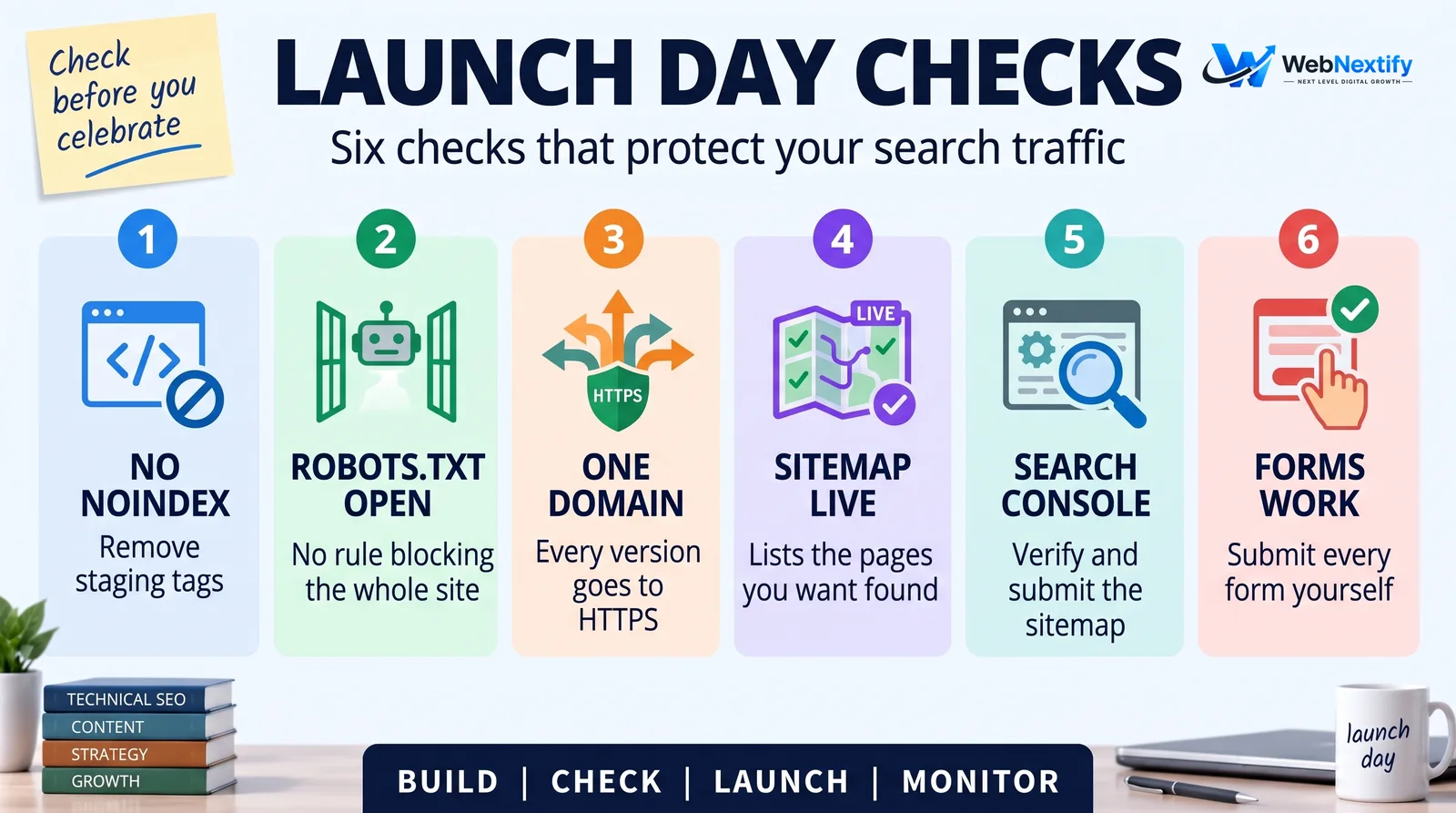
One detail catches a lot of people: if you want a page kept out of search results with noindex, don't also block it in robots.txt. Google's noindex documentation explains that the page must not be blocked by robots.txt, or Google never sees the noindex rule.
Redesigning an Existing Site? Add These Steps
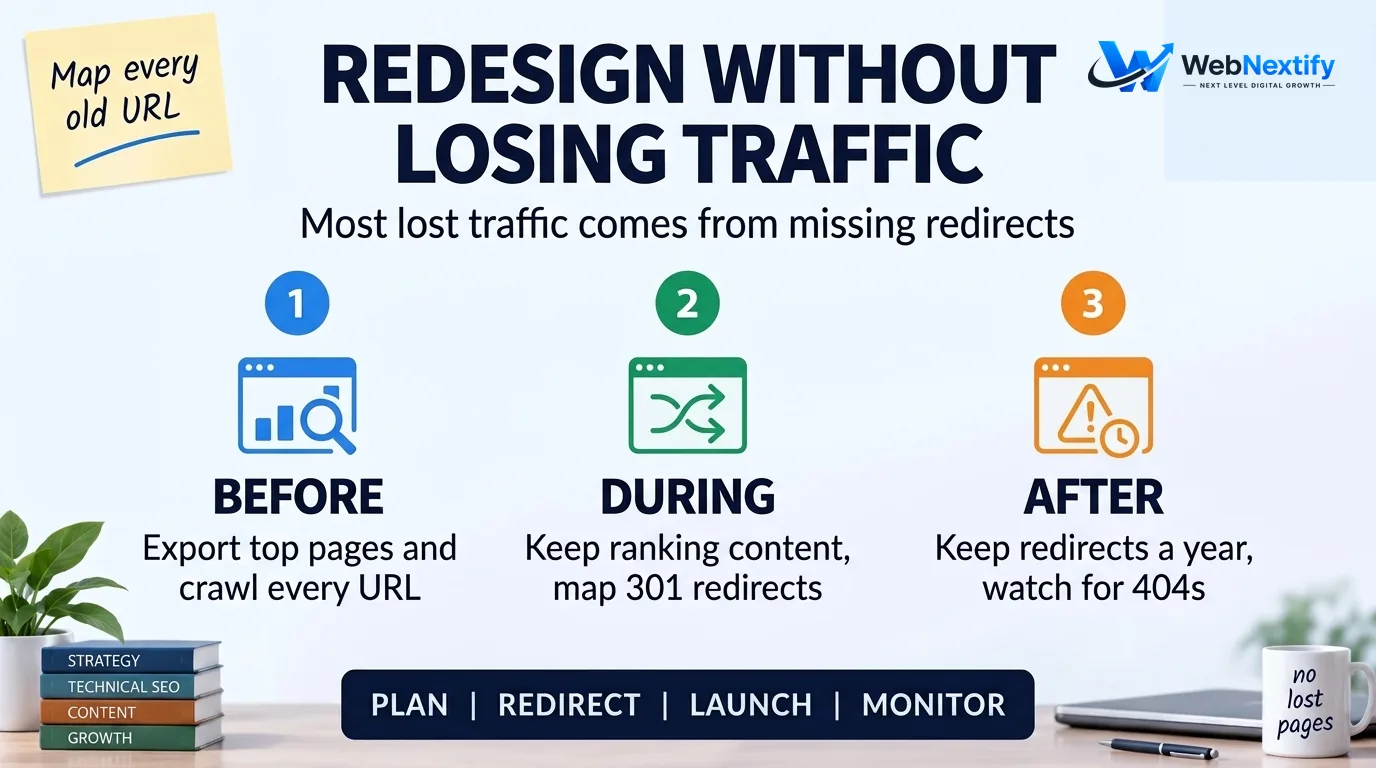
A website redesign is where most search traffic gets lost, almost always because URLs changed without redirects. This website redesign SEO checklist covers the extra work.
Before the Redesign
1. Export your top pages by clicks from the Search Console Performance report for the last 12 months.
2. Crawl the current site so you have a complete list of URLs, including PDFs and images that other sites link to.
3. Note which pages bring in leads. Those pages need the most care.
During the Build
4. Keep the content that earned rankings. If a page ranks for a service, rewriting it from scratch with half the detail is a common way to lose that ranking.
5. Build a redirect map: every old URL goes to its closest new equivalent with a permanent redirect. Google recommends permanent redirects such as 301 or 308. Redirecting everything to the homepage doesn't count as a match.
6. Update internal links to point straight to the new URLs, not through redirects.
After Launch
7. Keep the redirects in place. Google's guidance is to keep them "generally at least 1 year", and longer is better.
8. Submit the new sitemap in Search Console.
9. Expect some movement. Google says rankings can fluctuate while it recrawls the site, and for medium-sized sites it can take a few weeks or more before the new URLs replace the old ones in results.
Do You Need to Register Your Website With Search Engines?
For Google, no. Its SEO starter guide says you usually don't need to do anything except publish your site, because Google mainly finds pages through links from pages it has already crawled.
What does help is telling search engines where your content is, for free:
- Google Search Console. Verify your site and submit your sitemap. Google calls a submitted sitemap "merely a hint", so it speeds up discovery but doesn't guarantee indexing. The Pages report then shows which pages are indexed and why others aren't.
- Bing Webmaster Tools. Bing lets you import a site you've already verified in Search Console, so setup takes a couple of minutes.
- IndexNow. Some platforms and plugins support IndexNow, which notifies participating search engines when you add, update or delete URLs. Bing notes it doesn't guarantee indexing either.
- A link from somewhere real. Your Google Business Profile, social profiles and any industry directories you genuinely belong to all give crawlers a path to your site.
Skip paid "submit your site to 500 search engines" services and free SEO submission software that promises the same. Google, Bing and the services built on their results find sites on their own, and the rest send little or no traffic.
To check whether Google has found your site, search for site:yourdomain.com. Don't panic if a brand-new domain shows nothing for the first few days. Google says some changes take effect in hours and others take months.
The First 30 Days After Launch
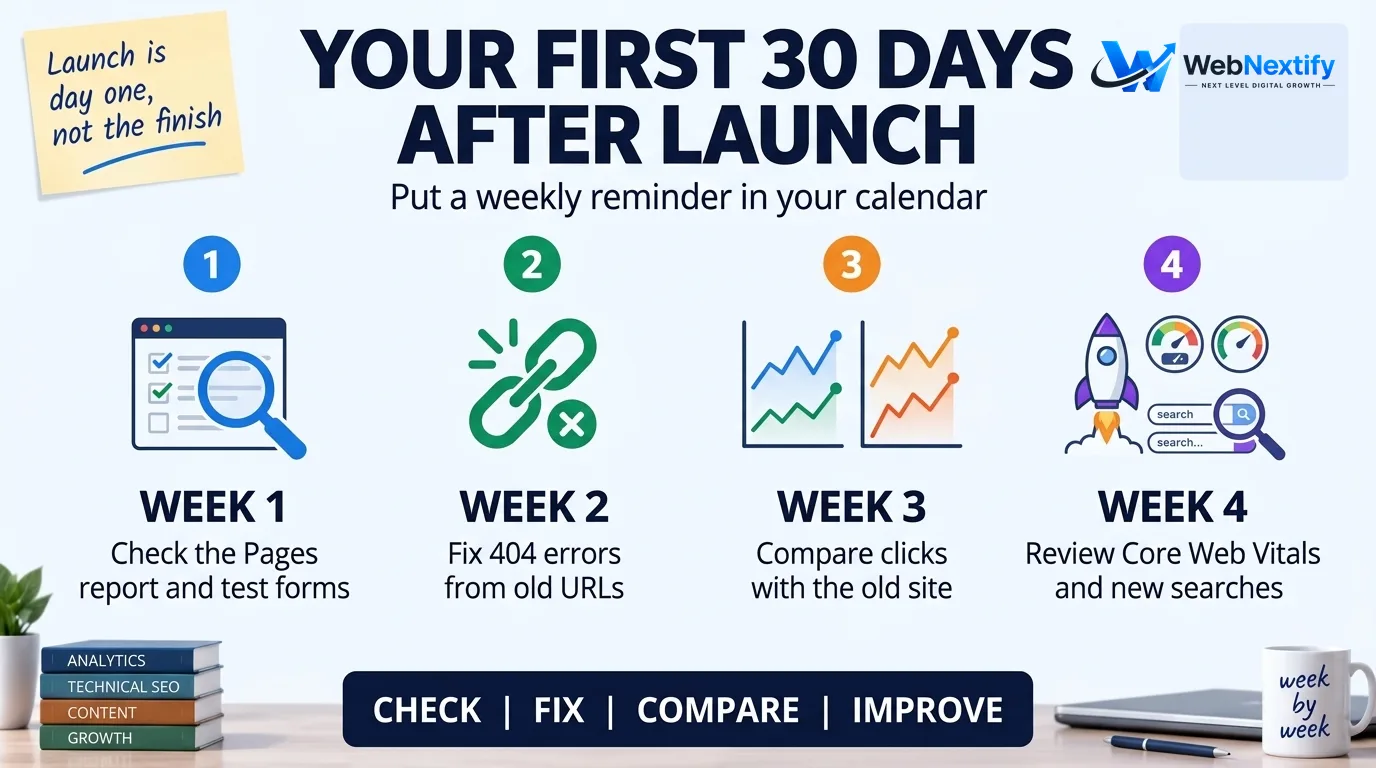
The launch isn't finished when the site goes live. Put a weekly reminder in your calendar for the first month:
- Week 1: check the Search Console Pages report for errors, confirm the sitemap was read, and test your forms again from a phone.
- Week 2: look for 404 errors in Search Console and fix any that come from old URLs you missed in the redirect map.
- Week 3: compare clicks and impressions with the old site, if this was a redesign. Focus on the pages that brought in leads.
- Week 4: check the Core Web Vitals report once enough real-user data has built up, and look at which search terms are starting to show impressions.
Here's a hypothetical example. A dental practice launches a redesigned site on a Monday. By Friday, Search Console shows the homepage as "Excluded by 'noindex' tag". The developer copied the staging site's settings, including the noindex tag that kept the test version out of Google. Removing it and requesting indexing fixes it within days. Left until the end of the month, it would have taken the practice out of Google searches for its own name. A five-minute check on launch day would have caught it.
Get Help With Your Launch
If you're planning a new site or a redesign, it's far cheaper to get search requirements into the build than to fix them after traffic drops. Our web development team builds sites with these checks in place from the start, and our SEO services can take over the research and content work once the foundation is ready.
For a quick look at a page you've just launched, the free WebNextify SEO Report Generator runs a Google Lighthouse test and lists failed checks in priority order. To learn the Search Console reports you'll be using in the first month, see our Google Search Console guide.
Frequently Asked Questions
What does SEO-ready mean?
Is an SEO-ready website the same as an SEO-optimized one?
How long does it take for a new website to appear on Google?
Do I need to submit my website to Google?
What is the most common SEO mistake when launching a website?
Which website builder is best for SEO?
Final Check Before You Go Live
If you only have five minutes, check three things: no noindex tag on the pages you want found, a robots.txt file that allows crawling, and redirects from every old URL that brought in traffic. Then verify the site in Search Console, submit the sitemap and test your forms. Everything else on this list makes the site better, but those few checks are the difference between a launch that holds its traffic and one that quietly loses it.