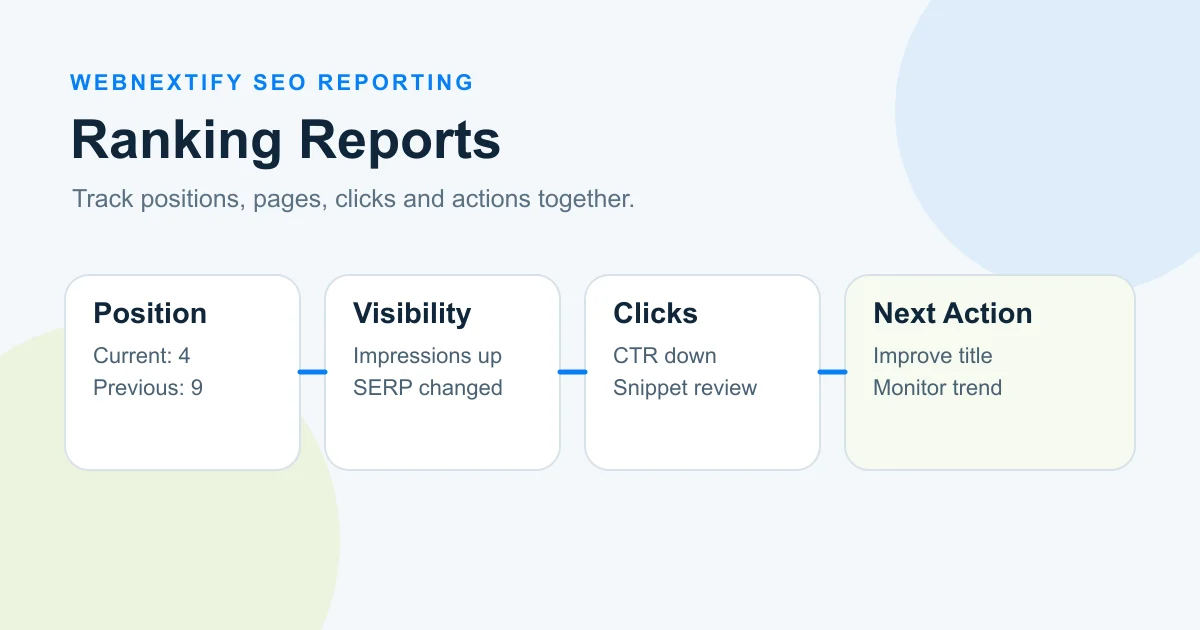
A search engine ranking report shows where important keywords and pages appear in search results and how those positions change over time. A useful report should go beyond a list of keywords and ranking numbers. It should show which page ranks, what changed, the search location and device, and whether impressions, clicks, click-through rate, or business outcomes moved with the ranking.
The goal is not to react to every position change. It is to understand which movements matter and what action, if any, should follow. A keyword moving from position eight to position five may be encouraging, but the decision becomes more useful when you also know whether search demand increased, the correct page ranked, clicks improved, or the search results page changed around you.
Agencies and tools also call this document an SEO keyword ranking report or an SEO keyword report. The structure in this guide works under any of those names, and the format section below gives you a layout you can copy into a spreadsheet.
What Is a Search Engine Ranking Report?
A search engine ranking report tracks the search visibility of selected keywords, pages, or topic groups over a defined period. At minimum, it normally records a keyword and its current position. Better search engine ranking reports add historical movement, target pages, location, device, search volume, SERP context, and performance data.
The report can serve different audiences. An SEO specialist may need individual keyword movements and landing-page changes. A marketing manager may care more about visibility across priority topics. A business owner may only need to know whether commercially important pages are becoming easier to find and whether that visibility is producing useful traffic.
That is why a report should not give every keyword equal weight.
What a Useful Ranking Report Can Include
- Keyword or query.
- Keyword group or topic.
- Current tracked position.
- Previous position.
- Change over the reporting period.
- Target or ranking URL.
- Search location.
- Device.
- Relevant SERP features.
- Search volume when available.
- Google Search Console impressions.
- Clicks and CTR.
- A short interpretation or next action.
The first six items explain what ranked. The remaining fields help explain whether the ranking mattered.
Keyword Ranking Report Format
A keyword ranking report format works best with one row per keyword and one column per fact. Put the identifying columns on the left and the interpretation on the right, so a reader can scan across a row and reach a conclusion.
| Keyword group | Keyword | Ranking URL | Market and device | Position | Previous | Change | Impressions | Clicks | Note |
|---|---|---|---|---|---|---|---|---|---|
| Service | technical seo audit | /seo-services | US, mobile | 7 | 11 | +4 | 1,240 | 18 | Gain held for three weeks. CTR is still low, so test a new title |
| Service | local seo agency | /local-seo | US, desktop | 14 | 9 | -5 | 310 | 2 | A blog post now ranks instead of the service page |
| Informational | seo report template | /blog/seo-report-template-guide | US, mobile | 5 | 5 | 0 | 2,980 | 64 | Stable. No action |
The figures are illustrative.
Three rules keep the format readable:
- Sort by keyword group first, then by business priority. Alphabetical order hides what matters.
- Use one market and one device per row. If you track mobile and desktop, give each its own row instead of averaging them.
- Fill in the note for every keyword that moved more than a few positions. An empty note usually means nobody has looked at it yet.
If the report goes to a client or manager, put a three-line summary above the table: what improved, what declined and what you plan to do about it.
Why Rank Tracker and Search Console Positions Differ
Rank tracking software and Google Search Console answer related but different questions.
A rank tracker can monitor a defined keyword using selected settings such as location, device, and search engine. Semrush, for example, allows Position Tracking campaigns to target specific devices and geographic locations.
Source: https://www.semrush.com/kb/32-position-tracking
Google Search Console uses a different methodology. Its Performance report records impressions, clicks, CTR, and average position based on actual Google Search impressions. Google defines average position as the average of the topmost position occupied by your property or page across recorded impressions.
Source: https://support.google.com/webmasters/answer/7042828
This means a Search Console average position of 6.2 does not mean that your page sat in a fixed sixth position every time somebody searched.
The result may have appeared at different positions across searches. Location, query variation, device, result type, and other search conditions can affect what users see.
Search Console aggregation also matters. At the property level, Google reports the topmost position from the property. At the page level, position is associated with the specific URL being analyzed.
Source: https://support.google.com/webmasters/answer/17011364
Rank Tracker vs Search Console
| Area | Rank tracker | Google Search Console |
|---|---|---|
| Main purpose | Monitor selected keywords consistently | Measure actual Google Search performance |
| Keyword set | Keywords you choose to track | Queries recorded for your property |
| Location | Can be configured by supported tracker | Reflected in actual impression data and filters |
| Device | Can often be selected | Can be filtered by device |
| Position meaning | Observed rank under tracker settings | Average topmost position across impressions |
| Click data | Usually modeled or connected separately | Actual Search Console click data |
| Best use | Controlled rank monitoring | Search performance analysis |
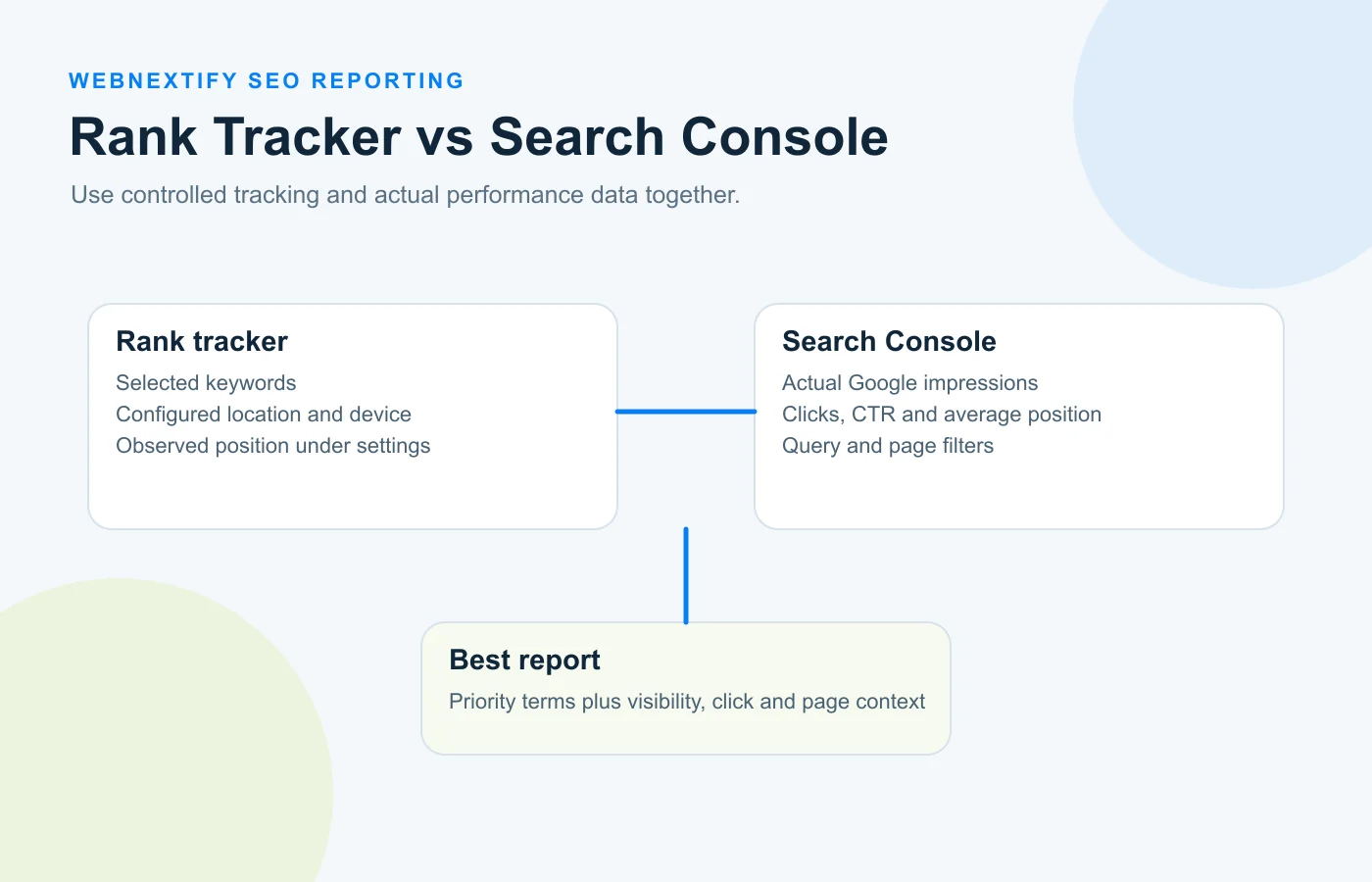
Neither source needs to replace the other. A useful search engine ranking report can use controlled rank tracking to monitor priority terms and Search Console to understand how Google visibility translated into impressions and clicks.
For setup details, see WebNextify's Google Search Console guide.
Which Keywords Should You Track?
Track keywords because they help you make a decision, not because a tool allows you to add thousands of them.
The most useful ranking set usually combines several types of queries.
Commercial and Service Keywords
These are searches closely connected to the products or services the business wants customers to discover.
For a service company, a position change on a high-intent service query may deserve more attention than a larger movement on a loosely related informational term.
Strategic Informational Keywords
Informational queries matter when they support topics the business wants to be known for or bring relevant users into the site before they are ready to buy.
Their value should still be connected to a relevant page and purpose.
Brand Queries
Brand terms can help reveal how easily users find the company and which pages Google associates with branded searches.
They should normally be separated from non-brand keywords because the two groups represent different search behavior.
Location-Specific Keywords
Businesses serving specific markets may need separate tracking for cities, regions, or countries.
Do not mix rankings from several markets into one number without labeling them. A position in New York does not automatically represent a position in London or Toronto.
New and Priority Content
When a new service page, landing page, or article is strategically important, a small keyword group can help show whether the intended page begins gaining visibility.
Avoid Vanity Tracking
A large search volume can look impressive in a spreadsheet, but it does not automatically make a keyword important.
A lower-volume term that closely matches a valuable service or customer problem may matter more than a broad term with far more searches. The best website ranking reports prioritize business relevance alongside search opportunity.
How Should You Read Ranking Movement?
Do not label every upward movement a win and every downward movement a loss.
Start by asking whether the movement persists and whether other metrics changed with it. Google recommends focusing on trends in impressions and clicks rather than treating position alone as the full measure of performance.
Source: https://support.google.com/webmasters/answer/17010961
Ranking Interpretation Matrix
| Ranking movement | Impressions | Clicks or CTR | Possible interpretation or next question |
|---|---|---|---|
| Up | Up | Up | Is the new traffic relevant and useful? |
| Up | Up | Flat or down | Is CTR weak, or did the SERP layout change? |
| Flat | Down | Down | Did search demand or query mix decline? |
| Down | Stable | Stable | Is the movement significant enough to act on? |
| Flat | Up | Up | Is search demand or broader visibility increasing? |
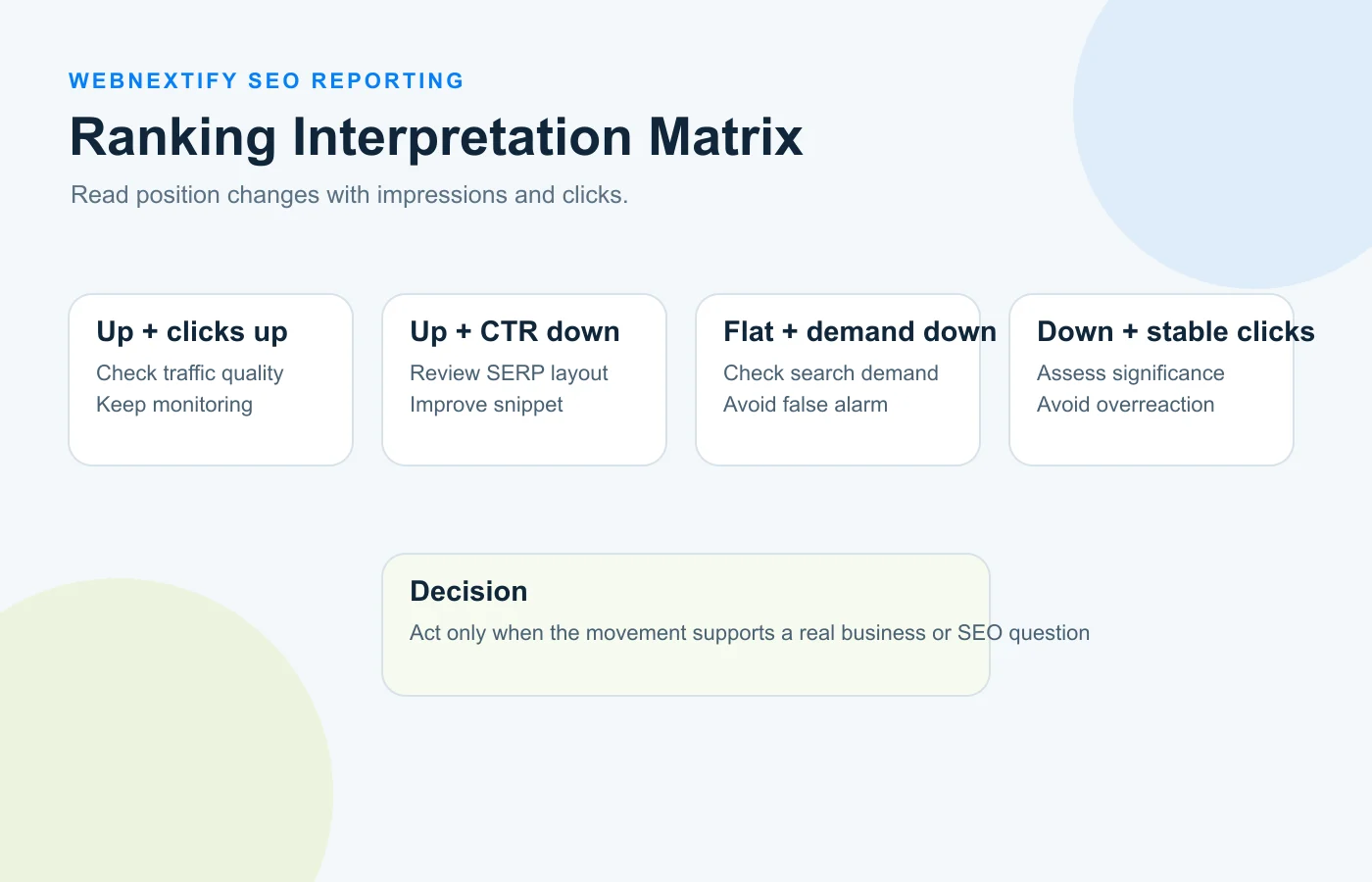
This table is a diagnostic starting point, not a universal explanation.
For example, an increase in impressions can happen because a page starts appearing for more queries. A decline can reflect lower search demand rather than an SEO problem. A ranking gain can occur while CTR falls because users are seeing different search features or because the title and snippet are not attracting clicks.
The report should lead to the next question instead of pretending that one metric proves the cause.
Why Ranking Position Alone Can Be Misleading
Position is useful, but it describes only one part of search visibility.
Search Results Are Not Just Ten Blue Links
Modern search results can contain AI Overviews, featured snippets, People Also Ask results, images, videos, local results, shopping elements, and other features.
A third-party tracker may distinguish between organic rank and physical placement on the search results page. AccuRanker's Full SERP Report, for example, separately records SERP element type, position on the SERP, rank inside certain features, and organic rank.
Source: https://www.accuranker.com/help/reports/full-serp-report/
That distinction matters because being the third organic result does not always mean your listing is the third visible element a user encounters.
Search Console Position Is Aggregated
Search Console average position is calculated across impressions, so one summary number can combine different searches and positions.
For analysis, filter by a specific query or page when you need a narrower view.
Location and Device Matter
A ranking tracker can be configured for different devices and locations because rankings can vary between those settings.
A report that mixes desktop and mobile or several countries without clear labels can hide useful differences.
Search Demand Changes
A page can remain in roughly the same position while impressions decline.
That does not automatically mean the page became worse. Fewer searches, seasonality, changing terminology, or a different query mix could be involved.
This is why site ranking reports should compare ranking position with actual visibility data.
How Should Rankings Connect to Impressions, CTR, and Traffic?
A ranking report becomes more useful when it follows the path from search visibility to business performance.
Ranking position to impressions to clicks to landing-page activity to business outcome.
Each stage answers a different question.
Position
Can the page be found for the tracked topic?
Impressions
Are users actually encountering the page in Google Search? Search Console records impressions according to Google's result-specific visibility rules.
CTR
When users see the result, how often do they click it? Search Console calculates CTR as clicks divided by impressions.
CTR should not be interpreted in isolation. Query intent, brand familiarity, position, result format, SERP features, and snippet quality can all affect user behavior.
Clicks
Did search visibility generate visits from Google Search?
A ranking gain without additional clicks may still be worth monitoring, but it should not automatically be reported as a traffic success.
Business Outcome
What happened after the visit?
Depending on the site, the relevant result may be a qualified lead, purchase, signup, booked call, product view, or another meaningful action.
A search engine rankings report should not claim that ranking movement caused revenue unless the available analytics support that conclusion.
For a broader reporting structure, see the SEO report template guide.
How Should You Report Rankings at Page Level?
Keyword movement becomes much easier to act on when the report includes the ranking URL.
Suppose a keyword improves from position 12 to position 6. That looks positive until you discover that an outdated article is ranking instead of the service page you intended to promote.
Now the report tells a different story.
- Is the intended URL ranking?
- Did the ranking URL change during the period?
- Is one strong page gaining several relevant keywords?
- Did an important page lose visibility across a topic group?
- Are multiple URLs appearing for closely related queries?
Google Search Console lets you filter a query and then inspect which pages were shown for it.
A URL switch does not automatically prove keyword cannibalization. Intent changes, content updates, indexing changes, or normal search-system behavior may also be involved. Treat it as a signal to investigate rather than an automatic diagnosis.
A Practical Ranking Report Decision Framework
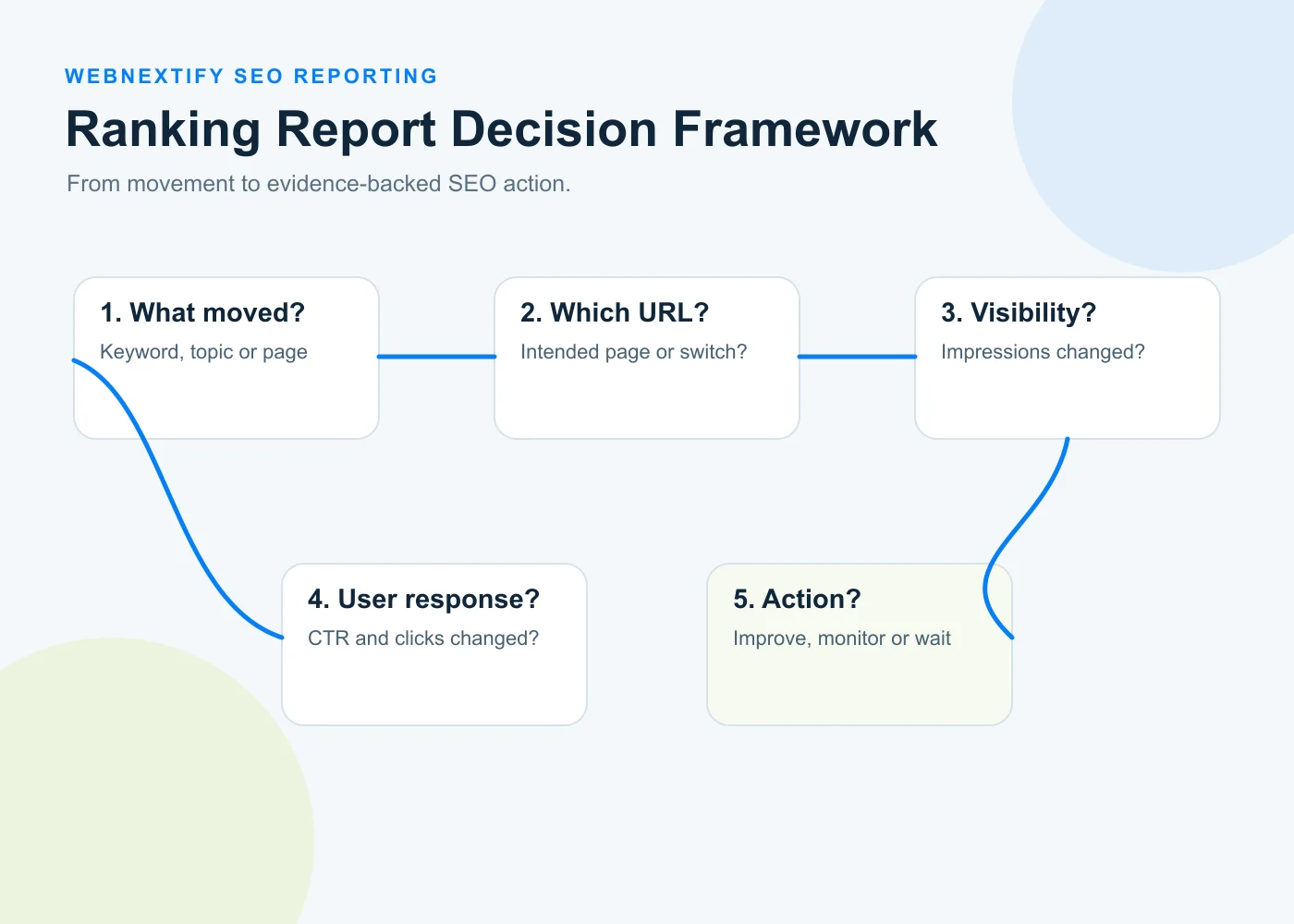
For every meaningful ranking change, ask five questions.
1. What Moved?
Identify the specific keyword, query group, or topic. Do not begin with a sitewide average if the decision concerns one service or page.
2. Which Page Is Ranking?
Confirm that the URL makes sense for the query intent. If the wrong page appears, investigate targeting before celebrating or correcting the position itself.
3. Did Impressions Change?
This shows whether the page's exposure in search changed alongside the ranking.
4. Did CTR and Clicks Change?
This helps separate ranking movement from actual user response.
5. Is an SEO Action Justified?
- Monitor the trend.
- Improve the title or snippet where appropriate.
- Refresh outdated or incomplete content.
- Improve alignment between query intent and target page.
- Investigate a technical issue.
- Review possible page overlap.
- Take no action yet.
"No action yet" is a valid reporting decision. A ranking report should prevent unnecessary work as well as identify useful work.
Worked Example: A Ranking Improves but Clicks Do Not
Consider an illustrative example.
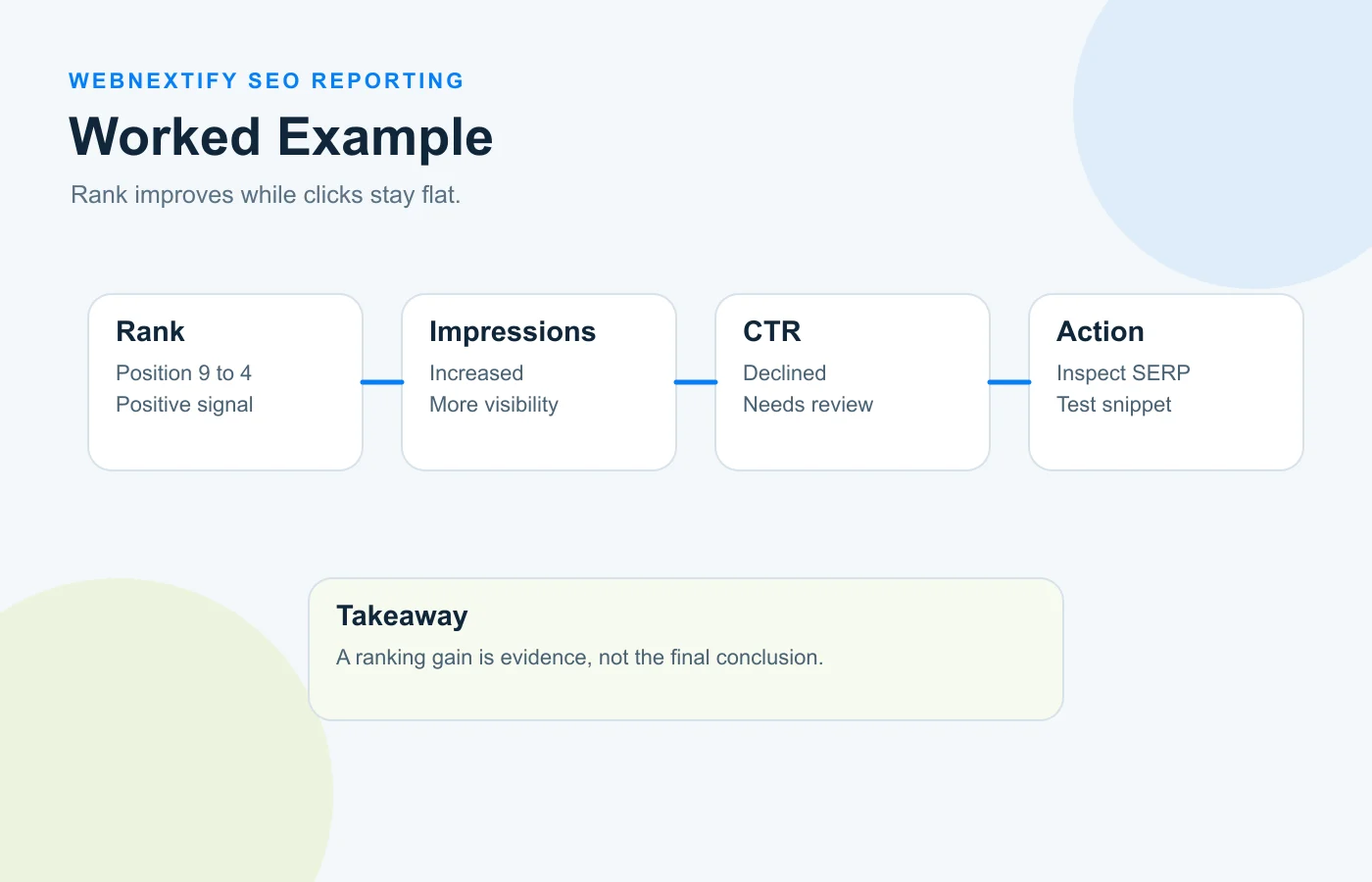
A business tracks an important commercial keyword. Its rank tracker shows the page moving from position 9 to position 4 over several weeks.
- Impressions increased.
- Clicks increased only slightly.
- CTR decreased.
- The intended service page is still ranking.
A weak report says, "The keyword improved five positions."
A stronger report asks why the increased visibility did not produce a similar click improvement.
The SEO team could review the search result itself, competing titles and descriptions, query intent, and visible SERP features. A SERP feature above the organic listing may have changed how much attention the result receives.
The correct action might be a snippet improvement, further monitoring, or no immediate change. The ranking gain is evidence, not the final conclusion.
For broader report quality checks beyond ranking movement, see WebNextify's SEO reporting best practices.
Common Ranking Report Mistakes
Reporting Every Keyword Equally
A report with hundreds of rows but no prioritization forces the reader to work out what matters. Group keywords by service, topic, intent, or business priority.
Celebrating Rankings Without Click Context
A position gain is useful information, but it is not automatically a traffic or revenue gain.
Mixing Locations or Devices
Keep different tracking environments labeled. This is especially important when reporting across the United States and other Tier 1 markets.
Treating Average Position as an Exact Rank
Search Console's average position is an aggregated performance metric, not a fixed manual rank check.
Reacting to Every Short-Term Change
Search results move. Look for meaningful trends and corroborating signals before creating optimization work from a small fluctuation.
Ignoring the Ranking URL
Knowing the keyword without knowing the page removes some of the most useful diagnostic context.
How Often Should Ranking Reports Be Reviewed?
Data collection and business reporting do not need the same cadence.
A rank tracker may collect positions daily. That does not mean a stakeholder needs a daily ranking report or that every daily movement deserves action.
Operational SEO teams may review important changes more frequently, while clients or leadership may receive a summarized periodic report. The right cadence depends on campaign activity, site size, market volatility, launch timing, and the decisions the report needs to support.
Whatever cadence you choose, keep comparisons consistent. Compare equivalent periods where possible and clearly label location, device, keyword set, and data source.
Frequently Asked Questions
What is a search engine ranking report?
What is an SEO keyword report?
What is a good average position in Google Search Console?
Why do my rank tracker and Search Console show different positions?
Which keywords should an SEO ranking report include?
Do higher rankings always mean more traffic?
How often should keyword rankings be reported?
If your business needs clearer search performance analysis, ranking interpretation, or an SEO plan based on the pages and queries that matter most, WebNextify can help turn search data into focused optimization decisions through focused SEO services.
Conclusion
A useful search engine ranking report does more than answer where a website ranks. It explains which keywords and pages changed, how those changes affected visibility and clicks, what the search environment looked like, and whether an SEO action is justified. Track the terms that matter to the business, separate rank-tracker observations from Search Console average position, and connect ranking movement to impressions, CTR, traffic, and outcomes before deciding what to change.
Source: https://support.google.com/webmasters/answer/7042828
Source: https://support.google.com/webmasters/answer/17011364
Source: https://support.google.com/webmasters/answer/17010961
Source: https://support.google.com/webmasters/answer/7576553
Source: https://www.semrush.com/kb/32-position-tracking
Source: https://www.accuranker.com/help/reports/full-serp-report/