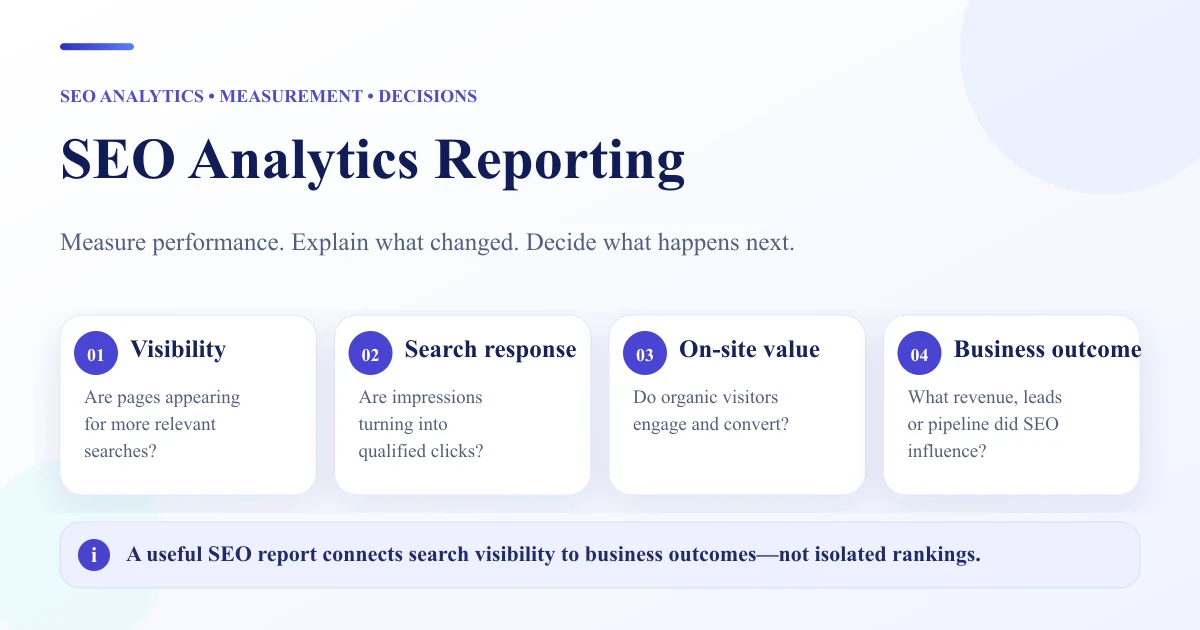
SEO analytics reporting turns search data into an explanation of performance. Instead of treating rankings, visibility, traffic, and conversions as isolated numbers, a useful report connects them. It should show where a change happened, which data source measured it, what the evidence supports, what remains uncertain, and what the business should investigate or do next.
That distinction matters because no single metric can explain SEO performance on its own. A website can gain visibility without gaining clicks, gain clicks without increasing conversions, or improve rankings while demand for the relevant searches declines. The purpose of SEO analytics reporting is therefore not to make every metric look positive. It is to build a reliable measurement chain from search exposure to business outcomes.
What Is SEO Analytics Reporting?
SEO analytics reporting is the process of collecting, comparing, interpreting, and communicating data related to organic search performance.
Analytics and reporting are related, but they are not identical.
SEO analytics focuses on questions such as:
- What changed?
- Where did the change happen?
- Which pages, queries, devices, countries, or audiences were affected?
- Which other metrics changed at the same time?
- What explanations should be investigated?
SEO reporting takes that analysis and communicates the most relevant findings to a stakeholder.
A useful report therefore needs both measurement and interpretation. A dashboard full of charts may contain data without explaining performance. A written report may contain conclusions without enough evidence. Strong SEO analytics reporting connects the two.
For broader guidance on report quality, comparisons, and interpretation, see WebNextify's SEO Reporting Best Practices.
The SEO Measurement Ladder
A practical way to measure SEO is to think of performance as a sequence.
| Measurement layer | Main question |
|---|---|
| Visibility | Are we appearing in relevant search results? |
| Search response | Are searchers interacting with those appearances? |
| Organic acquisition | Are search users reaching the website? |
| On-site behavior | What do those visitors do after arriving? |
| Business outcome | Do visitors complete meaningful actions? |
| Explanation | What does the evidence suggest changed? |
| Action | What should happen next? |
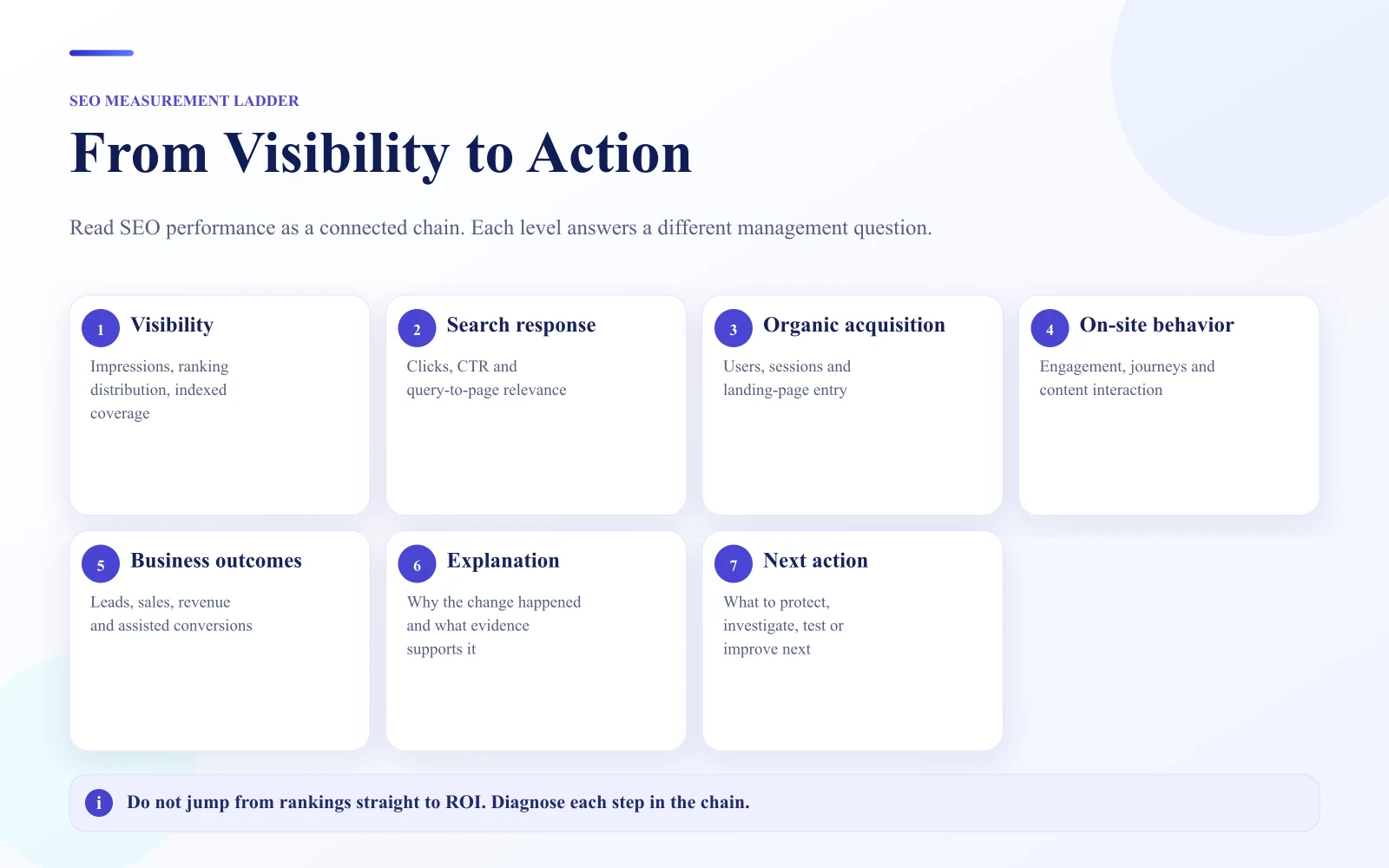
This measurement ladder prevents one metric from being treated as the complete story.
For example, suppose a website's visibility improves. That can be encouraging, but the next question is whether impressions increased. If impressions increased, did clicks also increase? If clicks increased, did organic sessions and important landing-page activity change? If traffic increased, did leads, purchases, registrations, or another agreed outcome improve?
Each layer answers a different question. A break between two layers is often where the most useful analysis begins.
Which SEO Metrics Should You Measure?
The right metrics depend on the question being asked. Reporting every available metric usually makes interpretation harder.
Search Visibility
Visibility metrics can help show whether a site is appearing more prominently across a defined set of searches. They are useful for tracking broad movement, especially when an agency or SEO team monitors a consistent keyword set.
But visibility should not automatically be treated as traffic, conversions, or business growth.
Impressions
The Google Search Console Performance report defines impressions as the number of times a site appeared in Search results, subject to Google's counting and aggregation rules.
Impressions can help answer whether the site is appearing more often, whether particular pages are gaining exposure, and whether a query group is expanding or declining. An impression increase does not automatically mean users are clicking.
Organic Clicks
Search Console counts clicks from Google Search results to the site. Clicks help connect search exposure with actual searcher response.
If impressions rise but clicks remain flat, useful questions include whether CTR declined, whether the query mix changed, whether average positions changed, whether more impressions are coming from lower-value searches, or whether the search results page changed. Those are investigation questions, not automatic conclusions.
Click-Through Rate
CTR is clicks divided by impressions in Search Console. It can be useful when comparing similar query groups, pages, or periods, but it should be interpreted with context.
A change in ranking distribution, brand demand, query intent, or the types of search results shown can affect CTR.
Rankings and Average Position
Rankings help describe where pages appear for particular searches. Search Console also provides average position, based on the topmost result from the property or the selected grouping.
Average position is useful as a diagnostic signal, but it should not become the sole measure of success. A ranking improvement matters most when it contributes to useful visibility, clicks, traffic, or business outcomes.
Organic Sessions
The Google Analytics Traffic Acquisition report is session-scoped and can show where website or app sessions came from, including Organic Search. It can also report metrics such as sessions, engaged sessions, key events, engagement rate, and revenue where the implementation supports them.
Organic sessions help answer what happened after acquisition rather than what happened inside Google Search results.
Landing-Page Performance
Sitewide totals can hide where the actual change occurred. Break performance down by useful page groups such as service pages, product categories, location pages, articles, product pages, feature pages, or conversion-focused landing pages.
A site may show flat overall organic traffic while commercially important pages improve significantly, or the reverse.
Conversions and Business Outcomes
A business should define which actions matter. Depending on the business, meaningful outcomes can include qualified leads, calls, bookings, purchases, revenue, trials, registrations, downloads, or another agreed action.
SEO reporting should not stop at traffic when reliable business-outcome data is available.
SEO Visibility Score vs Google Search Console Metrics
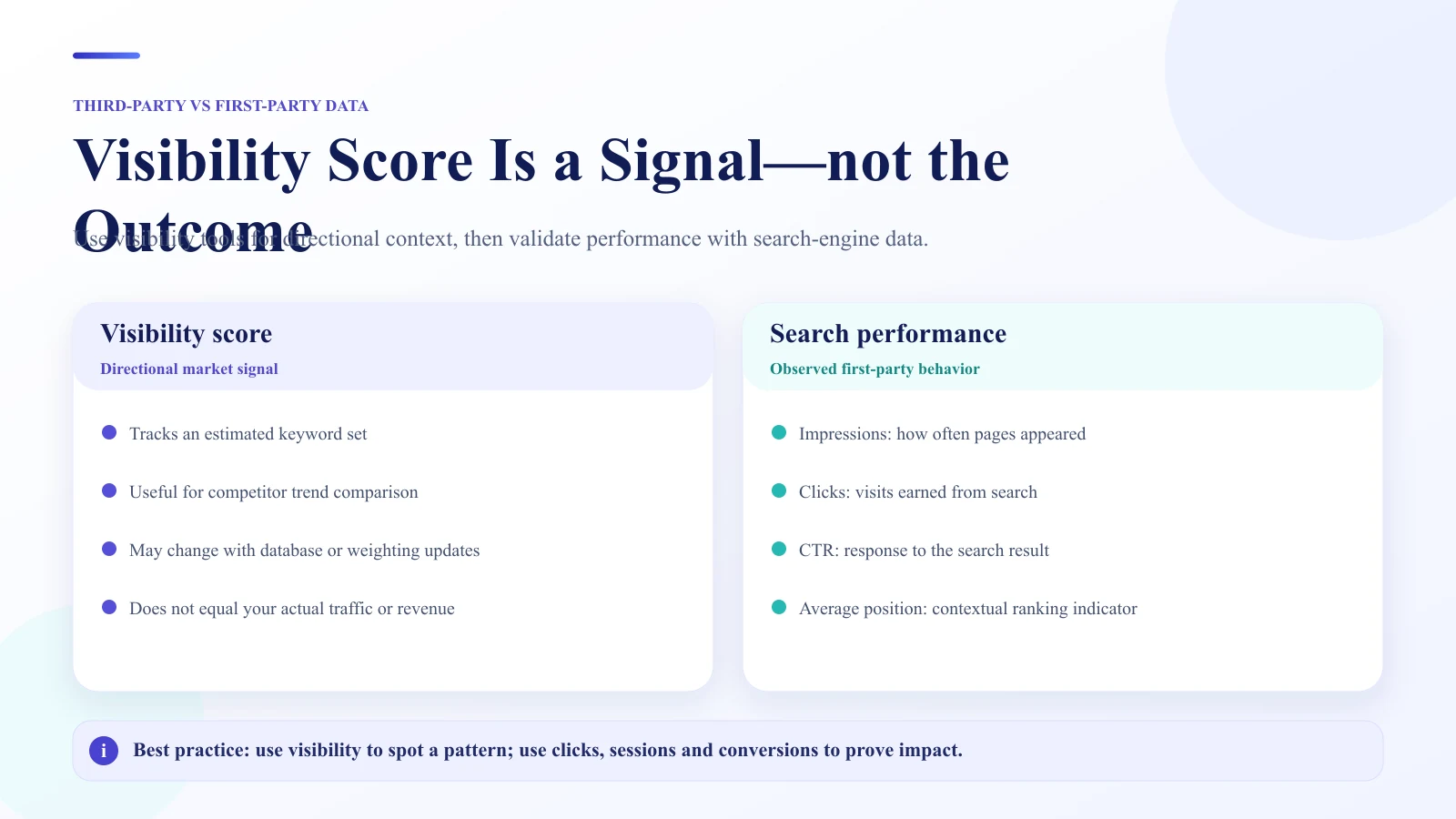
One of the most common measurement problems is treating an SEO visibility score as though it were a standard Google metric. It is not.
What Is an SEO Visibility Score?
An SEO visibility score is generally a third-party estimate of how visible a website is across a defined search set. The exact methodology depends on the tool.
For example, Semrush's Visibility percentage documentation explains that Position Tracking Visibility % estimates visibility for the keywords currently being tracked in a campaign using CTR-based weighting and ranking positions within that setup.
That makes the score useful for monitoring a consistent campaign, but it also means the value depends on the campaign setup.
Does Google Have a Visibility Score?
Google Search Console does not document a native metric called "Google visibility score." Its Performance report provides clicks, impressions, CTR, and average position, with dimensions including queries, pages, countries, devices, search appearance, and dates.
If a report includes a "Google visibility score," the report should identify which tool calculated it and what the score represents.
Why Visibility Scores Can Differ Between Tools
Two visibility tools can produce different numbers because they may use different keyword sets, locations, devices, ranking databases, CTR assumptions, SERP features, weighting models, and update schedules.
A visibility score is therefore most useful as a benchmark within a consistent measurement system. Changing the tracked keyword set and then comparing the new score directly with the old one can weaken the comparison.
When Visibility Scores Are Useful
Visibility scores can help with tracking a stable keyword portfolio, comparing segments of a site, monitoring broad competitive movement, detecting changes that deserve deeper analysis, and summarizing ranking exposure.
They are less useful when presented without methodology or treated as proof of traffic or revenue growth.
Google Search Console vs GA4: What Does Each Source Measure?
Search Console and GA4 should work together, but they measure different parts of the journey.
| Data source | Best used for |
|---|---|
| Google Search Console | Google Search impressions, clicks, CTR, queries, pages, countries, devices, and average position |
| GA4 | Sessions, acquisition channels, engagement, events, key events, and other post-acquisition behavior |
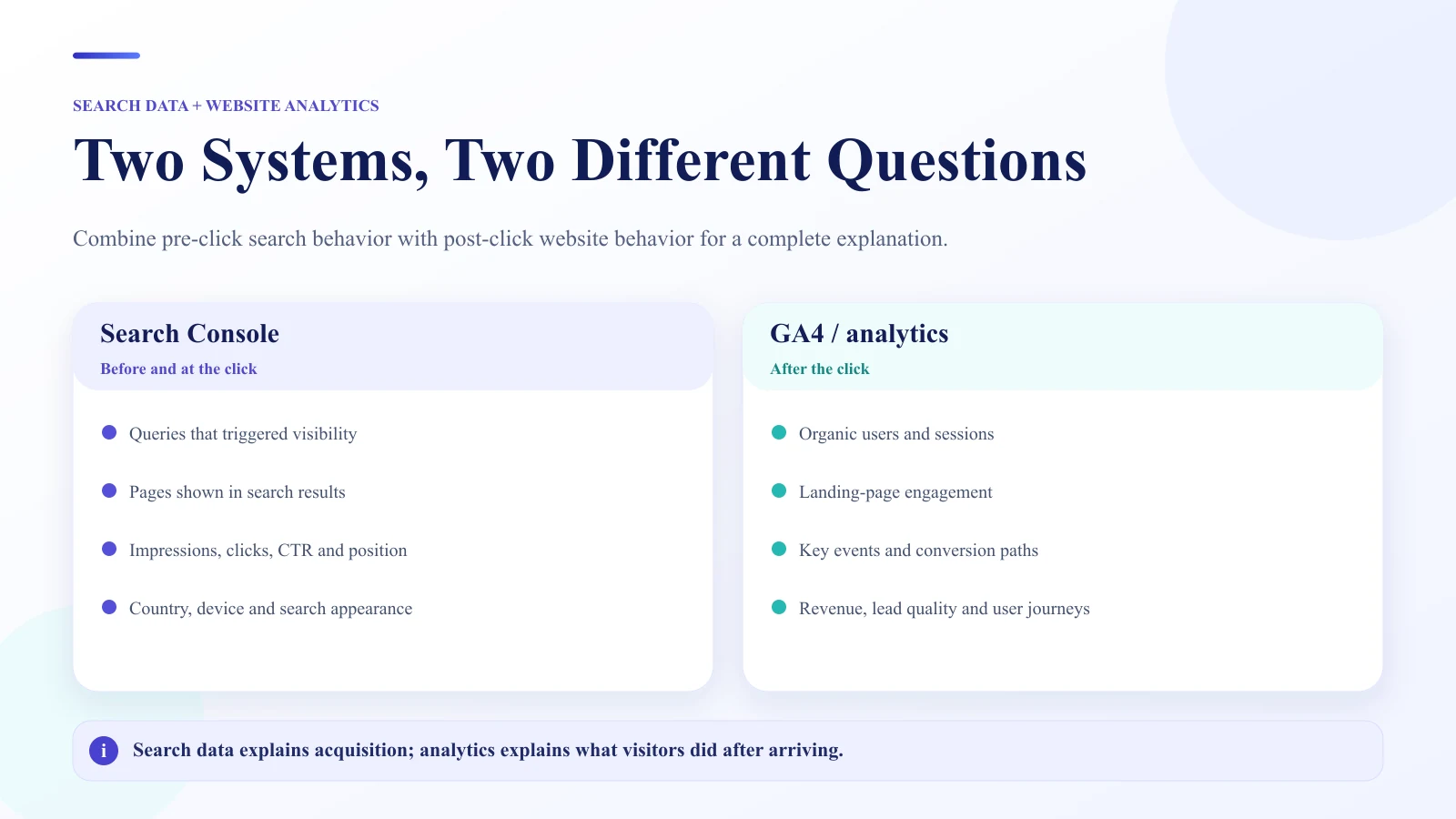
A useful shorthand is: Search Console asks, "What happened in Google Search?" GA4 helps answer, "What happened when acquired users interacted with the site?"
GA4's Traffic Acquisition report is session-scoped, while User Acquisition uses a different acquisition scope. Reports with different scopes should not be treated as interchangeable.
This is one reason Search Console clicks and GA4 sessions should not be expected to match exactly. They are different metrics produced by different measurement systems.
For a practical Search Console workflow, see WebNextify's Google Webmaster Tools and Search Console Guide.
How to Measure SEO Performance Step by Step
A reliable SEO analytics report should begin with a question, not a chart.
1. Define the Business Question
Examples include: Are commercial landing pages gaining useful search traffic? Why did organic leads fall? Did a migration affect search visibility? Are non-brand searches growing? Which content group is contributing most to organic acquisition?
The question determines which metrics deserve attention.
2. Select the Measurement Layer
Use the SEO Measurement Ladder. If the question concerns whether pages are appearing, start with visibility and impressions. If it concerns searcher response, look at clicks and CTR. If it concerns site acquisition, use sessions and landing-page data. If it concerns results, examine agreed business outcomes.
3. Choose the Appropriate Data Source
Do not use a ranking tracker to answer a conversion question. Do not use GA4 sessions as a substitute for Search Console impressions. Do not use Search Console average position as a replacement for business outcomes. Match the source to the question.
4. Set a Fair Comparison Period
Choose a comparison that helps answer the question. Common approaches include month over month, year over year, equivalent campaign periods, pre-change versus post-change, and comparable seasonal periods.
If tracking, site structure, or measurement definitions changed during the comparison, disclose that.
5. Segment the Data
Sitewide totals are often only the starting point. Segment by page group, landing page, query group, branded versus non-brand, country, device, business unit, or product and service category.
A useful segment can reveal a pattern hidden inside an apparently flat total.
6. Identify the Biggest Meaningful Change
Do not write commentary for every metric. Focus on changes that affect important pages, commercial search themes, conversions, search coverage, major technical risks, or business priorities.
7. Investigate Before Explaining
A metric change is an observation. The cause usually requires further analysis. Check related metrics, affected pages, query groups, technical changes, demand patterns, tracking changes, and other relevant evidence before writing an explanation.
8. Connect the Finding to a Next Action
A useful report should end important findings with an action. That action might be to investigate, fix, test, monitor, expand, consolidate, validate tracking, update content, or review conversion behavior.
The report should help someone decide what happens next.
Metric Change Diagnosis Matrix
The following matrix provides investigation paths, not guaranteed causes.
| Observed change | Useful questions to investigate |
|---|---|
| Impressions decline | Did demand, rankings, indexation, page coverage, or query mix change? |
| Impressions rise but clicks stay flat | Did CTR, position distribution, query intent, or SERP presentation change? |
| Clicks rise but GA4 sessions do not | Are the measurement definitions, landing behavior, tagging, or attribution systems behaving as expected? |
| Sessions rise but conversions stay flat | Did traffic quality, landing-page mix, intent, tracking, or conversion behavior change? |
| Rankings improve but clicks stay flat | Is search demand limited? Did impressions increase? Which queries actually improved? |
| Conversions increase with flat traffic | Did traffic mix, landing pages, offers, or conversion performance change? |
| Sitewide traffic stays flat | Are important page groups moving in opposite directions? |
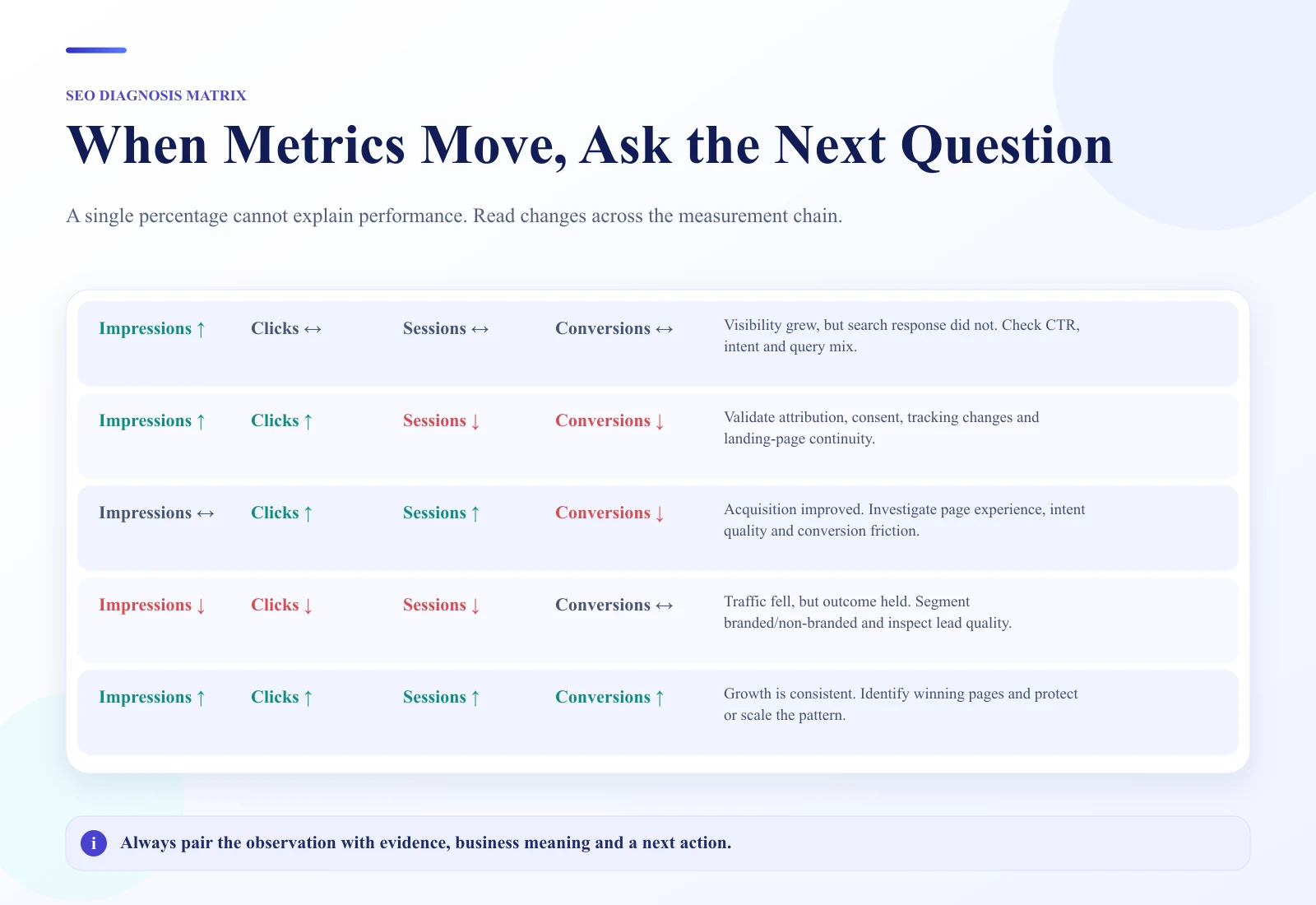
The purpose of the matrix is to move from a metric change to a better investigation. It should not be used to declare causes without evidence.
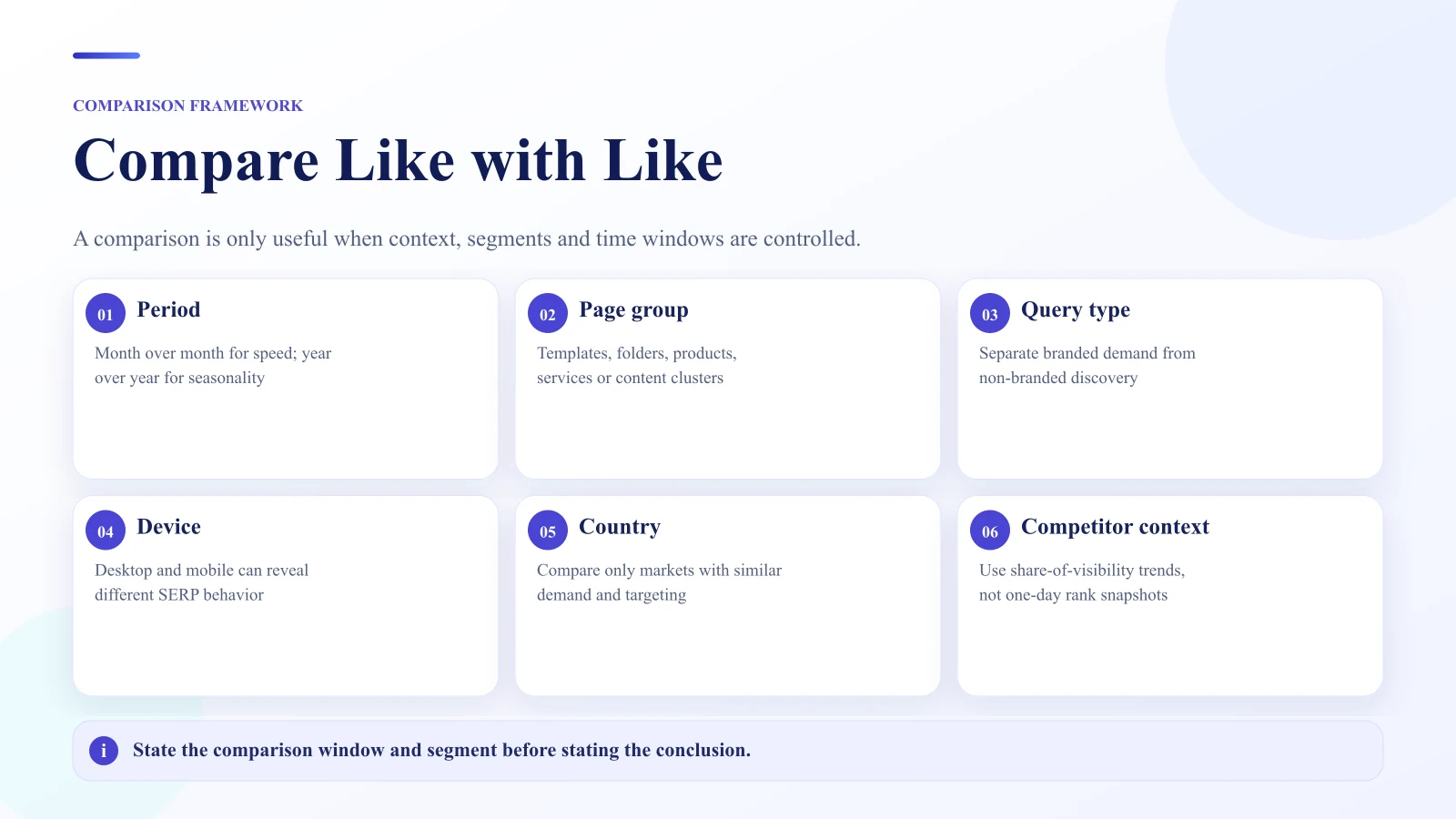
How Should You Compare Website Performance?
Good comparisons use consistent definitions.
Period-Over-Period
Month-over-month comparisons can show recent changes, but they may be sensitive to seasonality, holidays, and short-term demand shifts.
Year-Over-Year
Year-over-year comparisons can help control for recurring seasonal patterns, but major business, site, or market changes may still affect comparability.
Page-Group Comparison
Group pages by business role, such as commercial pages versus informational content, product categories versus individual products, or location pages versus service pages. This helps explain which part of the site is driving the change.
Branded vs Non-Brand
Separating branded and non-brand search performance can help distinguish existing brand demand from broader search discovery.
Device and Country
A sitewide change may come primarily from mobile users, desktop users, or one geographic market. Search Console supports dimensions including countries and devices for this type of investigation.
Competitor and Visibility Benchmarking
Third-party visibility tools can help compare relative movement when the keyword set and methodology remain consistent. Use them as comparative indicators rather than universal Google scores.
What Does a Good SEO Performance Explanation Look Like?
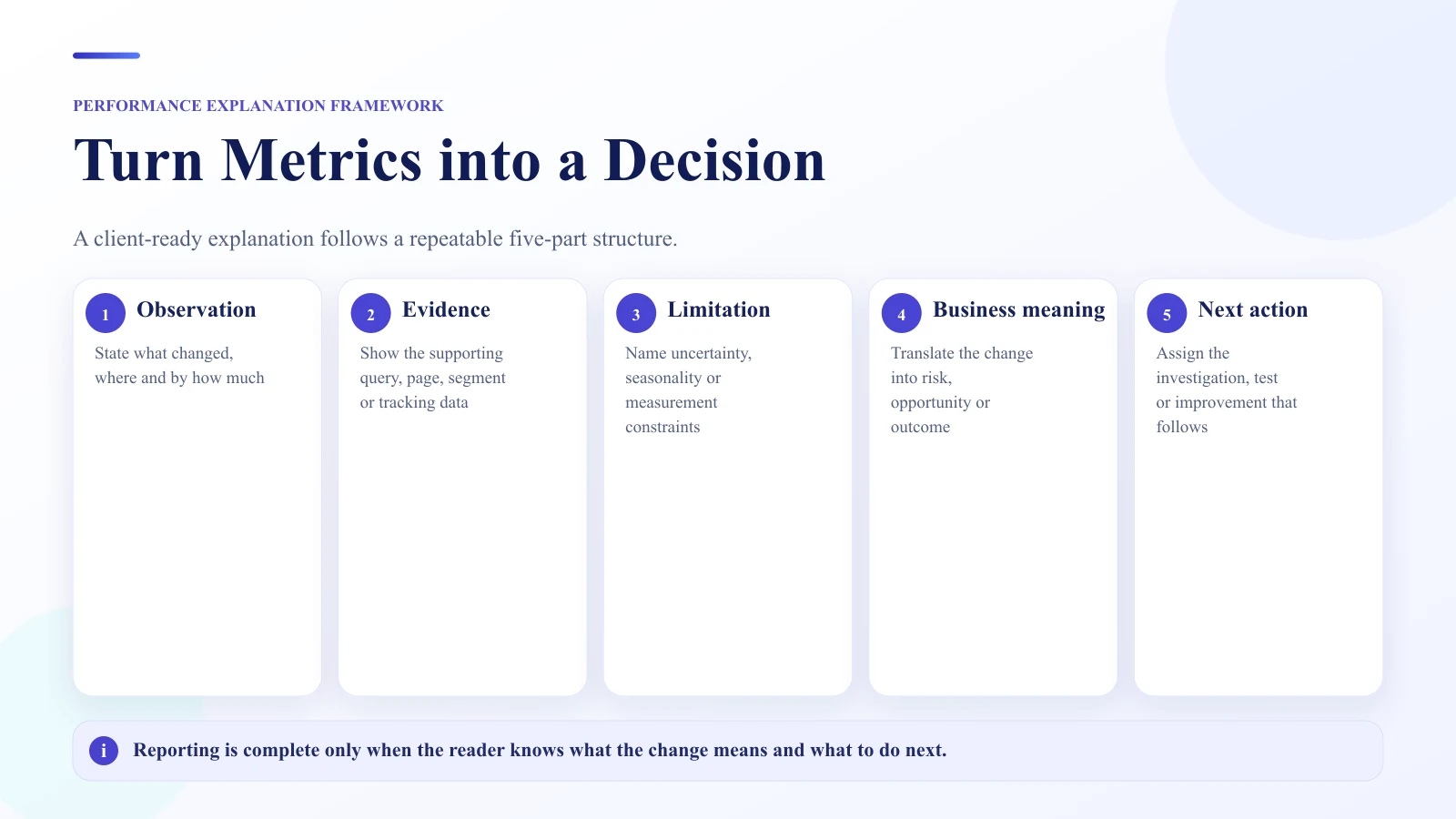
A strong explanation follows a simple structure:
**Observation -> Evidence -> Possible Explanation -> Limitation -> Business Meaning -> Next Action**
Consider this weak explanation:
SEO improved because traffic increased.
It states a conclusion without enough evidence.
A better explanation would be:
Organic clicks increased on three priority service pages while total impressions remained broadly stable. Those pages also showed stronger CTR during the period. The available data supports an improvement in search response on these pages, but it does not prove which specific page changes caused it. Lead volume remained flat, so the next review should focus on landing-page conversion behavior.
The improved version identifies what changed, where it changed, which evidence supports the observation, what cannot yet be concluded, why it matters, and what happens next.
This style is more useful than forcing every data point into a confident story.
Search Rankings vs Traffic vs Conversions
Rankings, traffic, and conversions should not compete for the title of "most important SEO metric." They measure different parts of performance.
- Rankings indicate search-position potential.
- Impressions indicate search exposure.
- Clicks indicate search response.
- Sessions indicate website acquisition.
- Conversions or key events indicate important on-site actions.
- Revenue, qualified leads, or other agreed outcomes connect activity more closely to business value when measurement supports them.
A healthy analytics report keeps these layers connected without pretending they are interchangeable.
Common SEO Analytics Reporting Mistakes
Treating a Visibility Score as a Google Metric
Always identify the tool and methodology behind third-party visibility measurements.
Reporting Rankings Without Search Response
Ranking movement is more useful when analyzed with impressions, clicks, query relevance, and page importance.
Expecting Search Console and GA4 to Match
Clicks and sessions are different metrics. The systems also have different scopes and processing rules.
Reporting Traffic Without Page Context
Sitewide growth can hide declines on commercially important pages.
Claiming Causation From Correlation
Two metrics changing together is evidence for investigation, not automatic proof of cause.
Using Convenient Comparison Periods
Choose comparison periods before interpreting whether the result looks favorable.
Ignoring Measurement Changes
Tracking updates, migration events, key-event configuration, and reporting changes can affect comparability.
Showing Data Without a Next Action
Reporting should support a decision, investigation, or monitoring plan.
SEO Measurement Gap Checklist
Before finalizing an SEO analytics report, check:
- Is the business question defined?
- Are the relevant measurement layers included?
- Is the correct data source being used for each metric?
- Is the comparison period fair and clearly labeled?
- Are important page or query segments included?
- Are tracking changes disclosed?
- Are third-party visibility scores clearly labeled?
- Are Search Console and GA4 treated as different measurement systems?
- Are observations separated from possible explanations?
- Are important limitations stated?
- Are business outcomes included where reliable measurement exists?
- Does each major finding lead to an action or monitoring decision?
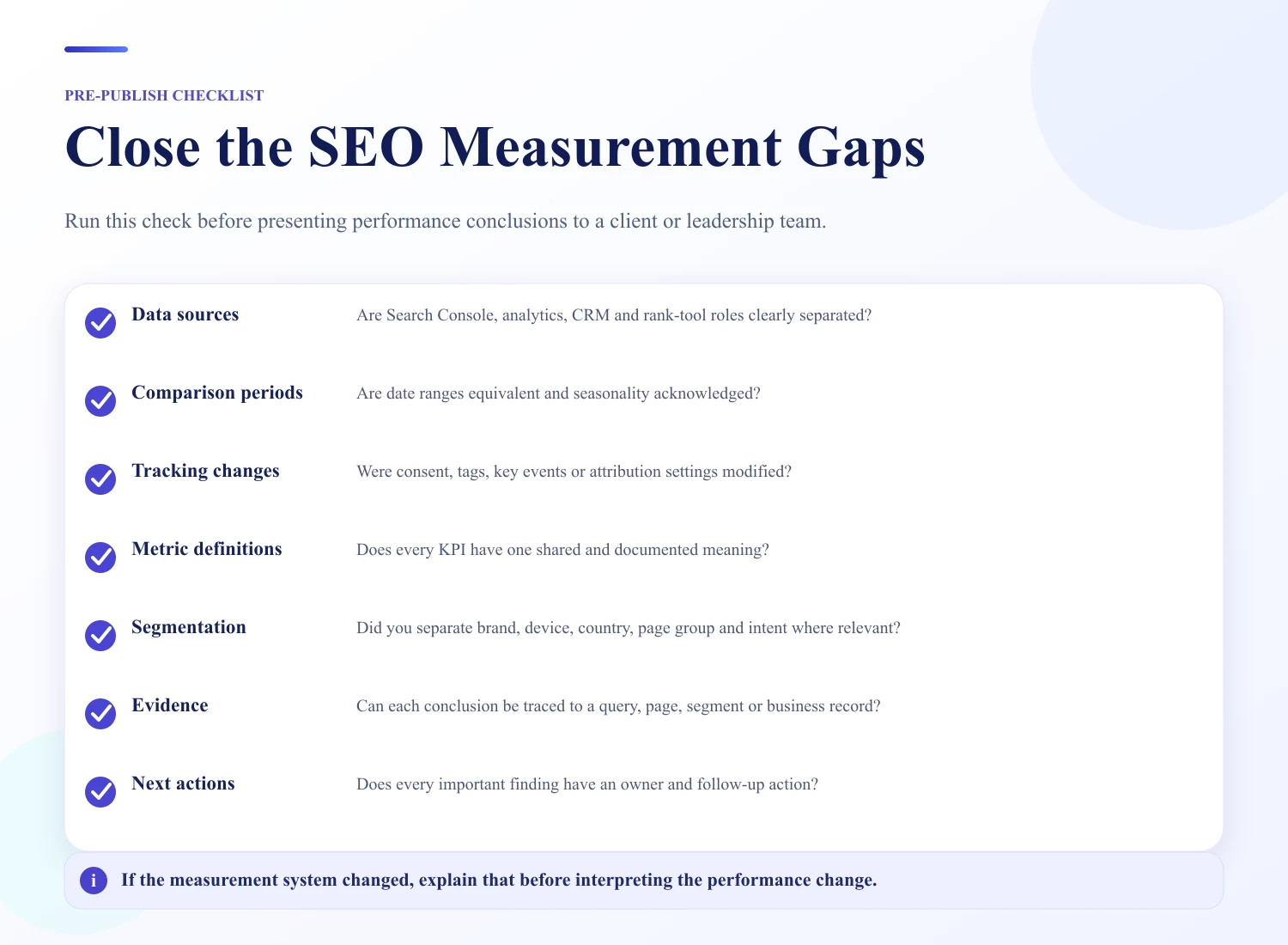
This checklist helps prevent technically correct data from becoming a misleading report.
For a reusable reporting structure, see WebNextify's SEO Report Template Guide.
What Should Be Defined in an SEO Analytics Reporting Agreement?
An SEO reporting scope should make measurement expectations clear before reporting begins.
Useful items to define include data sources, required account access, reporting cadence, comparison periods, metric definitions, deliverables, responsibilities, important tracking limitations, confidentiality requirements, and the review process.
The purpose is to reduce ambiguity about what will be measured and reported. This is an operational reporting framework, not legal advice. Contractual terms should be reviewed according to the business's actual legal requirements.
How WebNextify Can Help
WebNextify's SEO Services currently include technical SEO audits, keyword and competitor research, on-page optimization, content planning, internal linking, and Search Console and progress reporting.
For businesses trying to understand SEO performance, the same principle applies: measurement should establish a useful baseline, identify meaningful changes, and help prioritize what happens next rather than simply producing more charts.
What is SEO analytics reporting?
SEO analytics reporting combines search and website performance data to explain how organic search is performing. It connects visibility, clicks, acquisition, on-site behavior, business outcomes, interpretation, and next actions rather than treating individual metrics as a complete measure of SEO success.
What is an SEO visibility score?
An SEO visibility score is usually a third-party metric estimating how visible a website is across a defined set of searches. The exact meaning depends on the tool's methodology, tracked keywords, locations, devices, and weighting system.
Does Google have a visibility score?
Google Search Console does not document a native metric called a visibility score. It reports metrics such as clicks, impressions, CTR, and average position. Third-party platforms may calculate their own visibility metrics.
What is the difference between Search Console and Google Analytics for SEO?
Search Console measures performance in Google Search, including impressions, clicks, CTR, queries, pages, and average position. GA4 measures website and app acquisition and behavior, including sessions, engagement, events, key events, and other downstream outcomes.
Which metrics should an SEO report include?
Include the metrics required to answer the business question. Depending on the goal, that may include visibility, impressions, clicks, CTR, rankings, organic sessions, priority landing pages, conversions, key events, leads, or revenue.
How do you compare website SEO performance?
Use comparable periods and consistent measurement definitions. Useful comparisons include month over month, year over year, page groups, branded versus non-brand searches, devices, countries, and consistent third-party visibility benchmarks.
Why do Search Console and GA4 numbers differ?
Search Console and GA4 measure different things. Search Console records Google Search interactions such as clicks, while GA4 records sessions and website or app behavior according to Analytics measurement rules. Their values therefore should not be expected to match exactly.
Conclusion
SEO performance cannot be explained reliably with one ranking, traffic number, or visibility score. Strong SEO analytics reporting connects visibility, search response, organic acquisition, on-site behavior, and business outcomes while respecting the limits of each data source. The most useful reports define the business question first, compare consistent data, investigate metric relationships before claiming causes, separate observations from explanations, and turn each important finding into a clear next action.
- https://support.google.com/webmasters/answer/7576553?hl=en
- https://support.google.com/webmasters/answer/17011364?hl=en
- https://support.google.com/analytics/answer/12923437?co=GENIE.Platform%3DDesktop&hl=en
- https://www.semrush.com/kb/697-what-is-visibility
- https://webnextify.com/blog/seo-reporting-best-practices
- https://webnextify.com/blog/seo-report-template-guide
- https://webnextify.com/blog/google-search-console-webmaster-tools
- https://webnextify.com/seo-services