
Searching for a sample SEO report usually means you want to see what a finished report looks like. A useful example should show the reporting period, data source, important changes, interpretation, limitations, and next actions. The right format also depends on who will read it and what decision they need to make.
There is no single SEO report example for every business. Monthly reports, executive summaries, audits, competitor analyses, on-page reports, and ranking reports solve different problems. Use samples to understand the structure, then adapt them to your own audience, data, and goals.
What Does a Good SEO Report Example Look Like?
A good SEO report example makes its purpose clear before presenting details. The reader should be able to identify the reporting period, data source, main change, supporting evidence, uncertainty, and next action.
Sample Report vs Reusable Template
A template is an empty structure for future reports. A sample report is a completed example showing how that structure works with real or illustrative data. If you need a reusable structure, see WebNextify's SEO report template guide.
Example Data vs Real Client Data
Public samples can use fictional data, but the labeling must be clear. Say when values are illustrative. Use "anonymized" only when real data has genuinely been anonymized. Never present invented figures as client results or WebNextify case-study outcomes.
Illustrative example using fictional sample data.
What Every Sample Should Make Clear
- Purpose and intended reader
- Reporting period and data sources
- Important changes and evidence
- Interpretation and limitations
- Recommended next action
The metrics can change. The reporting logic should remain clear.
Which SEO Report Example Should You Use?
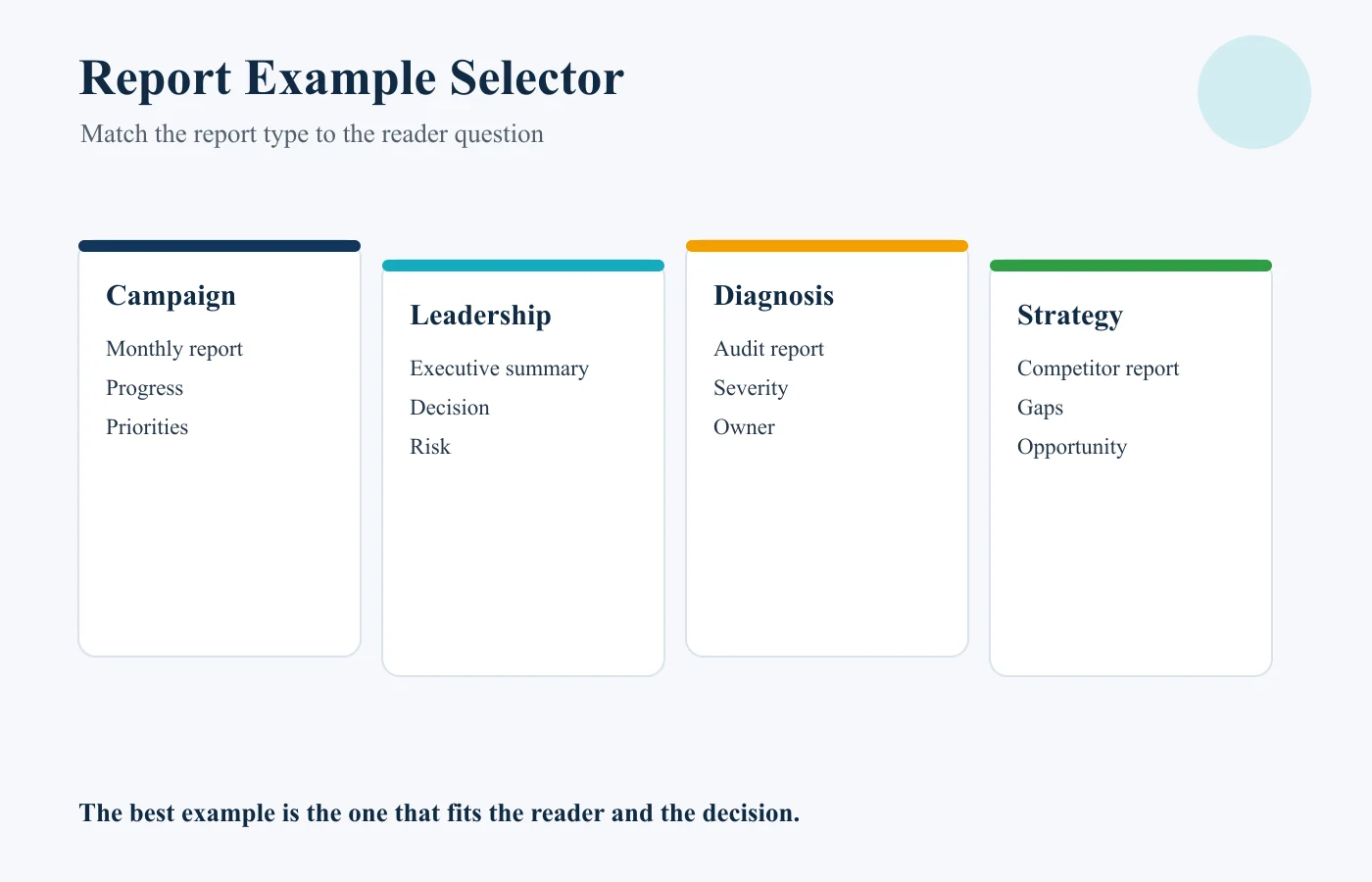
Choose the report type based on the decision the reader needs to make. A report can be accurate and still be unhelpful if it gives the wrong level of detail to the wrong audience.
| Situation | Best report example | Main audience | Main focus |
|---|---|---|---|
| Ongoing campaign review | Monthly SEO report | Client or marketing team | Trends, outcomes, actions |
| Leadership update | Executive SEO summary | Founder or executive | Results, risks, priorities |
| Website diagnosis | SEO audit report | SEO and technical teams | Issues, severity, fixes |
| Strategy planning | Competitor analysis report | Marketing and SEO teams | Gaps and opportunities |
| Page optimization | On-page SEO report | SEO and content teams | Page-level findings |
| Keyword movement | Ranking report | SEO team or client | Position and visibility changes |
The right report is the one that matches the question being asked, not simply the sample that looks the most polished.
Monthly SEO Report Example
For agency delivery context, see what agencies should include in client reports, including automation, permissions, commentary, and next actions.
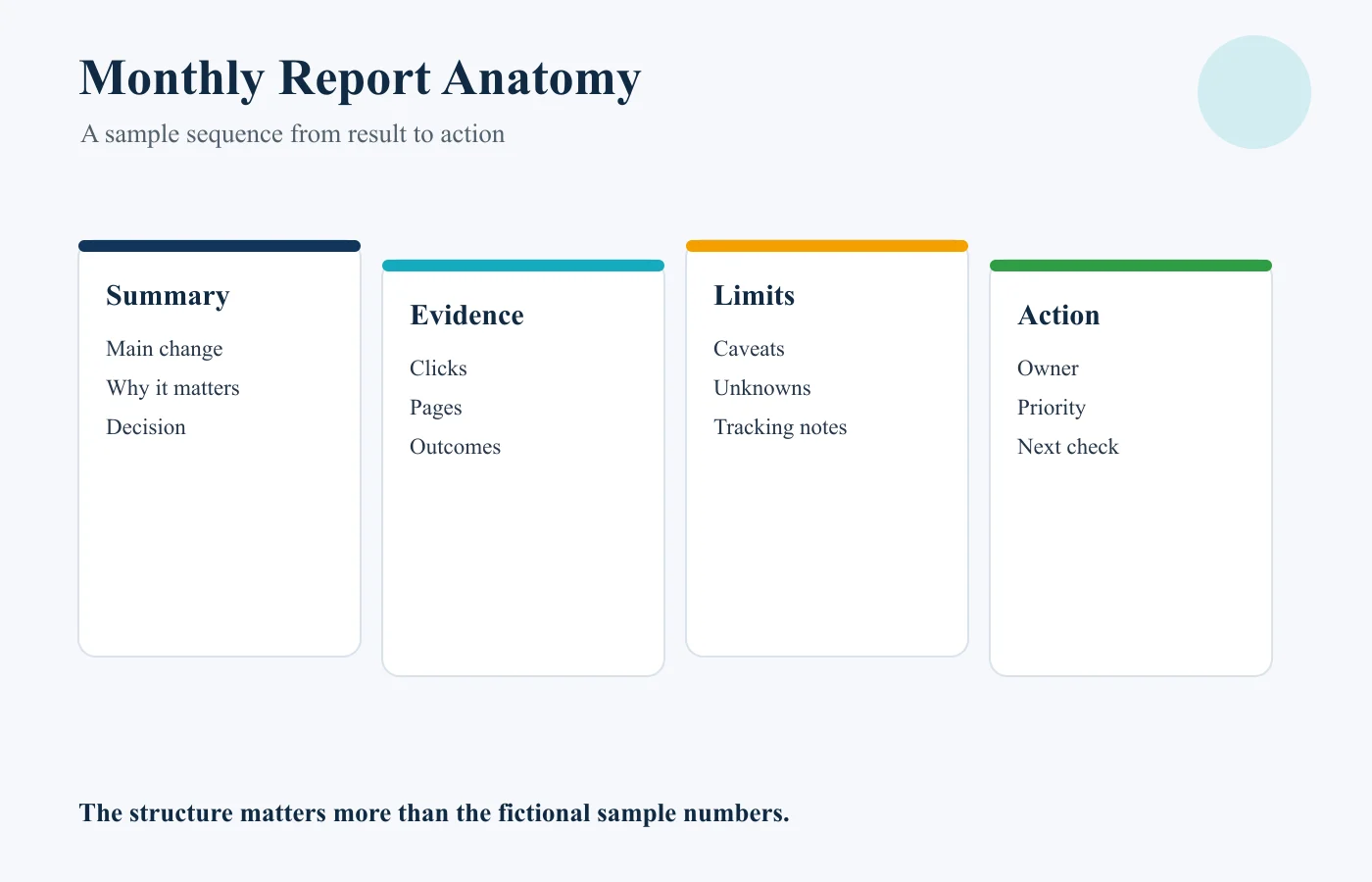
A monthly SEO report should summarize the period, highlight meaningful changes, identify the pages or search themes behind them, connect performance to relevant business outcomes where tracking allows, and end with priorities for the next period.
A practical monthly report can include the reporting and comparison periods, a short summary, visibility and click changes, important landing pages, relevant business outcomes, risks, and next priorities.
Illustrative Monthly SEO Report Sample
The values in this example are fictional and demonstrate report structure only.
Executive summary: Organic search visibility improved, with most click growth coming from two service pages. Non-brand impressions also increased. Lead volume remained broadly flat, so the next review should focus on the conversion path from those growing pages.
Performance: Organic clicks increased from 8,200 to 9,050 compared with the previous equivalent period. Two service pages generated most of the increase, while one older blog post lost clicks after impressions declined.
Limitation: The report does not prove that the increase in service-page traffic caused any change in leads.
Next action: Review conversion behavior on the two growing pages and investigate the declining blog post before changing content.
The value of the sample is the sequence from result to evidence to limitation to action, not the fictional numbers.
Executive SEO Summary Example
An executive summary should be shorter than an analyst report. Senior stakeholders usually need the business result, the most important change, the main risk or opportunity, and the decision that follows.
Illustrative example using fictional sample data.
Organic search generated more non-brand visibility this month, led by two commercial service pages. Click growth was positive, but lead volume did not increase at the same rate. The main opportunity is to review the conversion path on those pages before investing in additional traffic growth. One technical issue affecting a smaller page group remains open.
There is no long keyword table, crawl export, or list of every page that moved. Those details may still belong in the analyst layer, but they do not need to dominate the executive view.
SEO Audit Report Sample
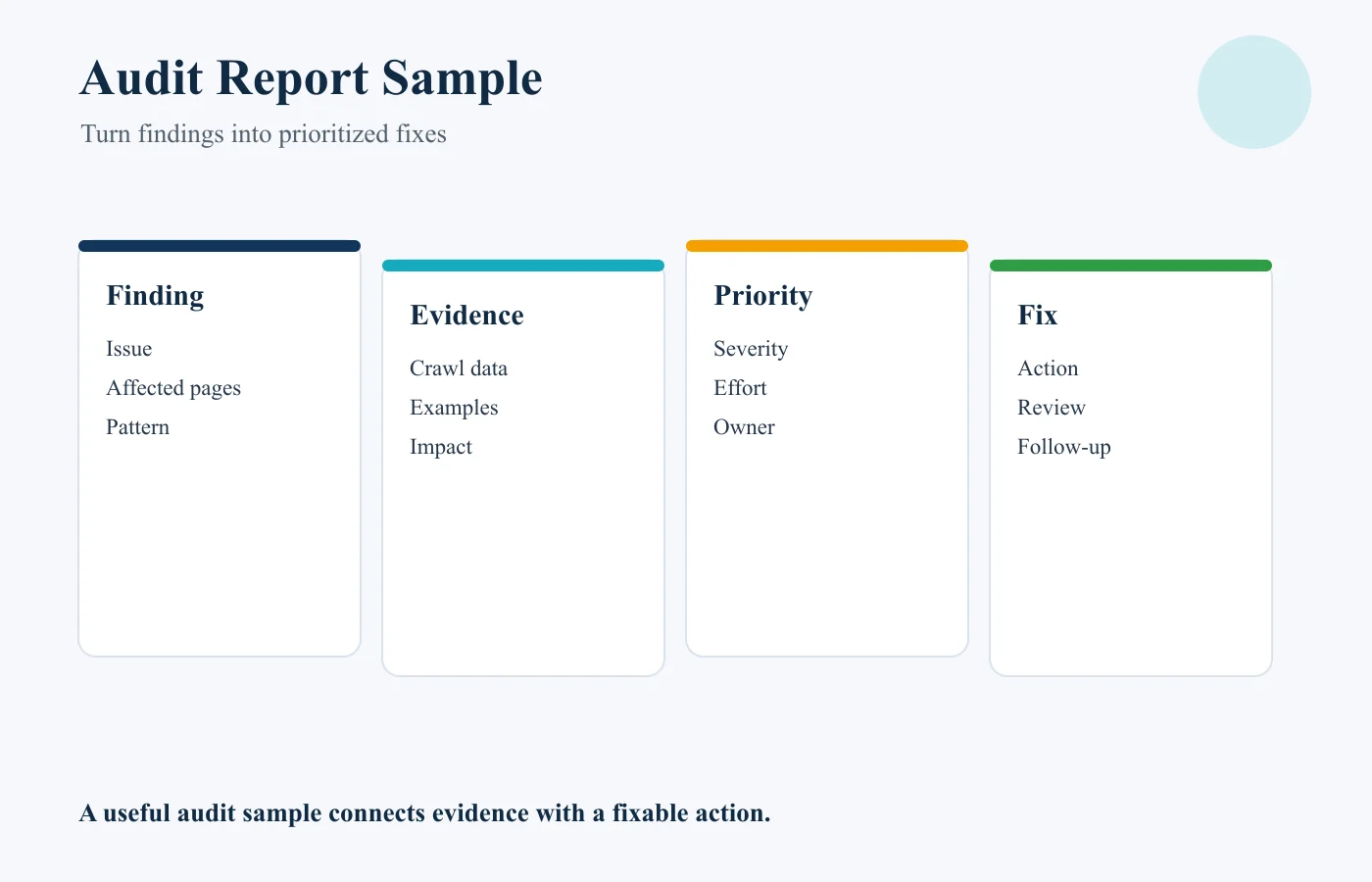
An SEO audit report is different from a recurring performance report. Its main job is to diagnose problems, show evidence, prioritize them, and explain what should be fixed.
Illustrative audit example using fictional page details and priorities.
| Field | Example |
|---|---|
| Finding | Important product pages are difficult to reach through internal links |
| Evidence | Several pages require multiple navigation steps and receive few internal links |
| Potential impact | Search engines and users may have more difficulty discovering or prioritizing these pages |
| Priority | High |
| Recommended action | Add relevant contextual links from stronger category and guide pages |
| Owner | SEO and content team |
The audit should not simply dump every issue a crawler can find. A useful sample groups related findings, explains why they matter, and separates high-priority work from low-impact cleanup.
SEO Competitor Analysis Report Sample
A competitor analysis report should help the reader make strategic choices. It should not become a vanity scoreboard showing who has the most keywords or backlinks.
Illustrative example only. Example Competitor A is not a real client or case-study entity.
Competitor: Example Competitor A
Observed gap: Competitor A has several strong pages targeting a service topic that the business currently covers only briefly.
Evidence: The competing site has dedicated pages for three subtopics, while the business has one broad page.
Opportunity: Evaluate whether those subtopics reflect real customer demand and deserve separate or expanded coverage.
Next action: Review search intent, existing site content, and commercial relevance before creating new pages.
A competitor doing something is not proof that you should copy it. The report should distinguish observation from recommendation.
On-Page SEO Report Sample
An on-page SEO report focuses on one page or a small set of pages. It should connect page-level findings with specific edits.
Illustrative example using fictional page details.
Page: Example service page
Target intent: Visitor comparing providers for a specific service
Finding: The page explains the service but does not answer common evaluation questions near the top.
Evidence: Important information about process, scope, and next steps appears late in the page.
Recommended edit: Move the core service explanation and decision-relevant information higher, then support it with detailed proof and FAQs where useful.
Priority: Medium to high.
The report can also cover title elements, internal links, headings, content gaps, technical issues, and conversion paths. The point is to turn findings into edits rather than produce a checklist with no context.
Ranking Report Example
A ranking report is useful when keyword movement is a real decision input. It should not be treated as the entire SEO performance report.
Illustrative ranking example using fictional keyword and position data.
| Keyword | Target page | Previous position | Current position | Context | Next action |
|---|---|---|---|---|---|
| Example commercial query | Service page | 11 | 7 | Impressions and clicks also increased | Monitor and review CTR |
Ranking movement matters more when it is connected to the correct page, search visibility, clicks, and business relevance. For deeper ranking interpretation, see WebNextify's Search Engine Ranking Reports guide.
PDF SEO Report vs Live Dashboard Example
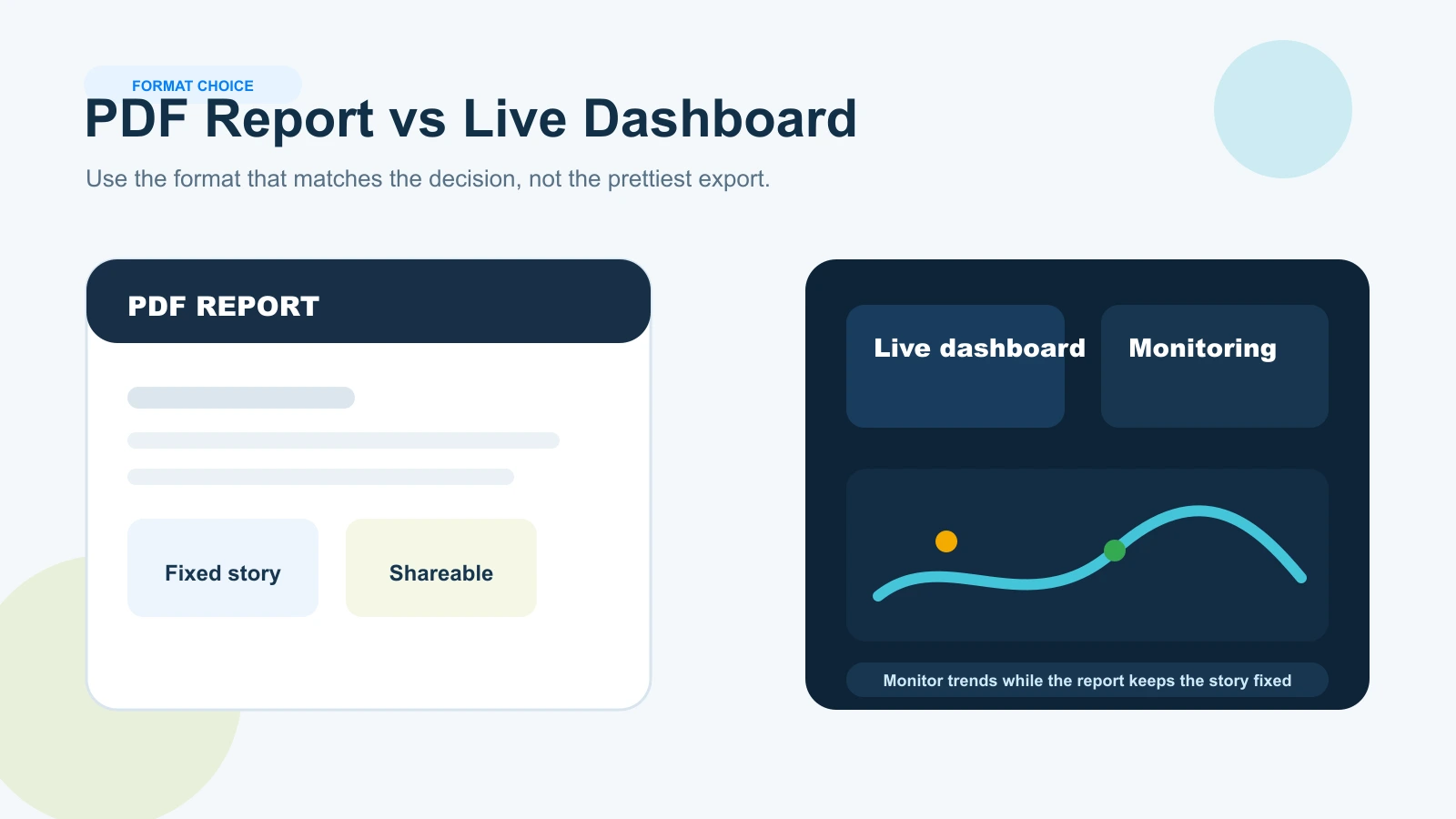
A PDF and a live dashboard solve different reporting needs.
| PDF SEO report | Live SEO dashboard |
|---|---|
| Fixed snapshot for a specific period | Frequently refreshed monitoring view |
| Easy to share and archive | Supports filtering and drill-down |
| Preserves the exact report reviewed at that time | Useful for ongoing operational checks |
| Works well for periodic stakeholder reporting | Works well for analyst monitoring |
Neither format guarantees a useful report. A polished PDF with no interpretation is still weak reporting. A sophisticated dashboard with dozens of charts can still leave a business owner unsure what changed.
Many teams benefit from both: a live dashboard for monitoring and a concise periodic report for interpretation and decisions.
Looker Studio Search Console connector documentation
How to Adapt a Sample SEO Report Without Copying It Blindly
A sample should guide your thinking, not dictate your final report.
1. Define the intended audience.
2. Define the decision the report should support.
3. Choose the appropriate report type.
4. Remove sections that do not support that purpose.
5. Replace sample values with verified data.
6. Label the reporting period, comparison period, sources, filters, and important tracking changes.
7. Add interpretation rather than relying only on charts.
8. State relevant limitations or uncertainty.
9. Finish with a specific action, investigation, or monitoring decision.
A founder may need one page. An SEO specialist may need detailed page and query analysis. Do not include a backlink section, technical-health section, or competitor table simply because another sample contains one.
For the standards that make reports easier to trust, compare WebNextify's SEO reporting best practices.
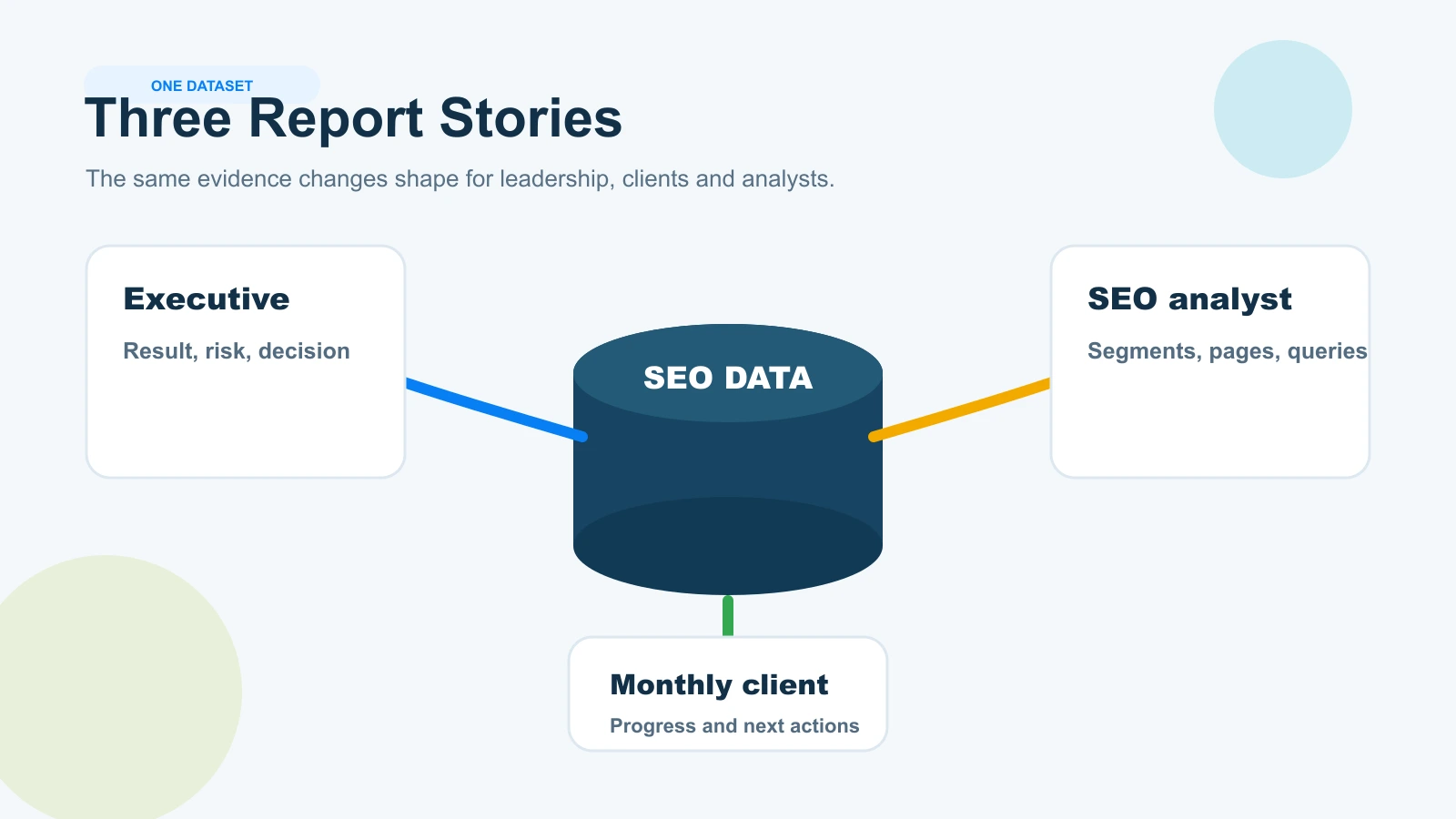
One Dataset, Three Different SEO Reports
The same SEO data can produce different reports depending on the reader.
The following dataset is entirely fictional and is included only to demonstrate audience-based reporting.
- Organic clicks and non-brand impressions increased.
- Two service pages produced most of the growth.
- Lead volume remained approximately flat.
- One technical issue remains open.
Executive Version
Organic search visibility improved, especially on two commercial service pages, but lead volume remained roughly unchanged. The priority is to review the conversion path before investing in more traffic growth. A separate technical issue remains under review.
Monthly Client Version
Organic clicks and non-brand impressions increased compared with the previous equivalent period. Two service pages drove most of the growth, while recorded leads stayed broadly flat. Next, review conversion behavior and continue monitoring the open technical issue.
SEO Analyst Version
Segment the two service pages by query, device, and country. Compare clicks, impressions, and CTR, verify lead tracking, review the conversion path, and investigate whether the open technical issue affects the same page group.
The facts are the same. The difference is the level of detail and the decision each reader needs to make.
Common Mistakes When Using SEO Report Samples
Copying Every Section
A sample designed for a large ecommerce site may be excessive for a local service business. Keep only sections that support the reader's decision.
Presenting Fictional Data Like Real Results
Clearly label fictional or illustrative values. Never imply that they are client outcomes.
Using Screenshots Without Interpretation
A chart should support a point, not replace one. Explain what matters and whether action is required.
Showing Rankings Without Context
Position movement is more useful when connected to the target page, visibility, clicks, and business relevance.
Combining Unrelated Report Types
Do not combine an audit, monthly update, competitor analysis, and strategy document unless there is a clear reason.
Using Outdated Terminology or Metrics
Verify current tool terminology before adapting an older sample. For Search Console performance metrics and dimensions, use current Google documentation.
Google Search Console Performance report documentation
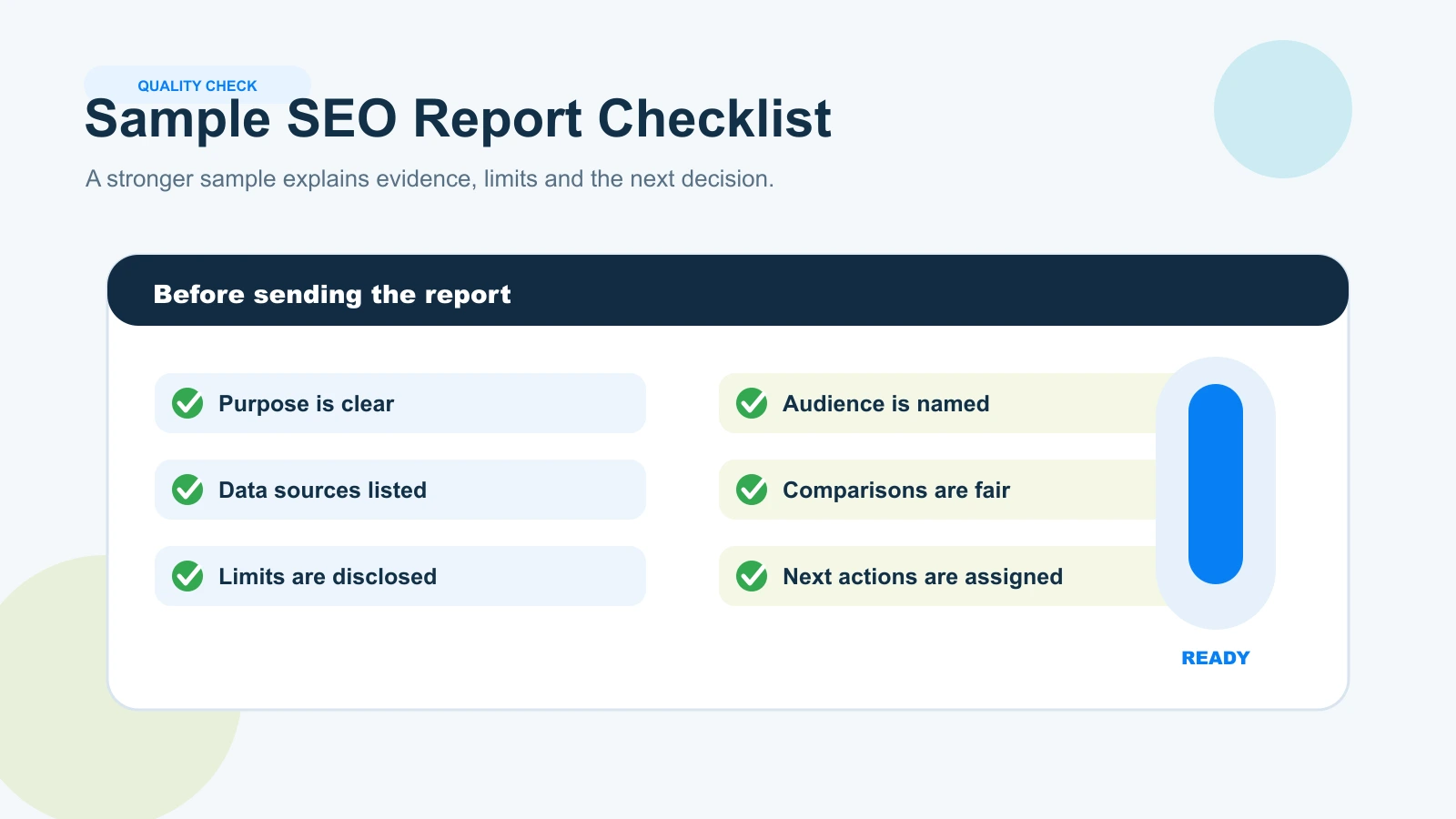
SEO Report Sample Checklist
1. Is the purpose clear?
2. Is the audience clear?
3. Is the reporting period labeled?
4. Are the data sources identified?
5. Is example data clearly labeled?
6. Are comparisons consistent?
7. Are only decision-relevant metrics included?
8. Is there written interpretation?
9. Are limitations disclosed?
10. Does every important finding lead to an action, investigation, or monitoring decision?
11. Has irrelevant sample content been removed?
12. Can the intended reader understand the report without opening every underlying tool?
How WebNextify Can Help With SEO Reporting
If your team needs more than a sample and wants reporting tied to technical work, search visibility, content priorities, and business goals, WebNextify's SEO Services can help connect search data with clearer next actions.
For Search Console setup and performance-data context, see WebNextify's Google Search Console guide.
Frequently Asked Questions
What should a sample SEO report include?
Where can I find an SEO report sample PDF?
What is the difference between an SEO report sample and a template?
What does a monthly SEO report example look like?
How should an SEO audit report be structured?
Can sample SEO report data be fictional?
Conclusion
The best SEO report example matches the audience, purpose, and decision. Use monthly reports for ongoing performance, executive summaries for leadership, audits for diagnosis, competitor reports for strategy, on-page reports for page-level work, and ranking reports when position movement matters. Replace demonstration data with verified information, explain what the evidence supports, disclose limitations, and end with a useful next action.